




Best Tablets With Large Screens in 2026: Tested & Ranked

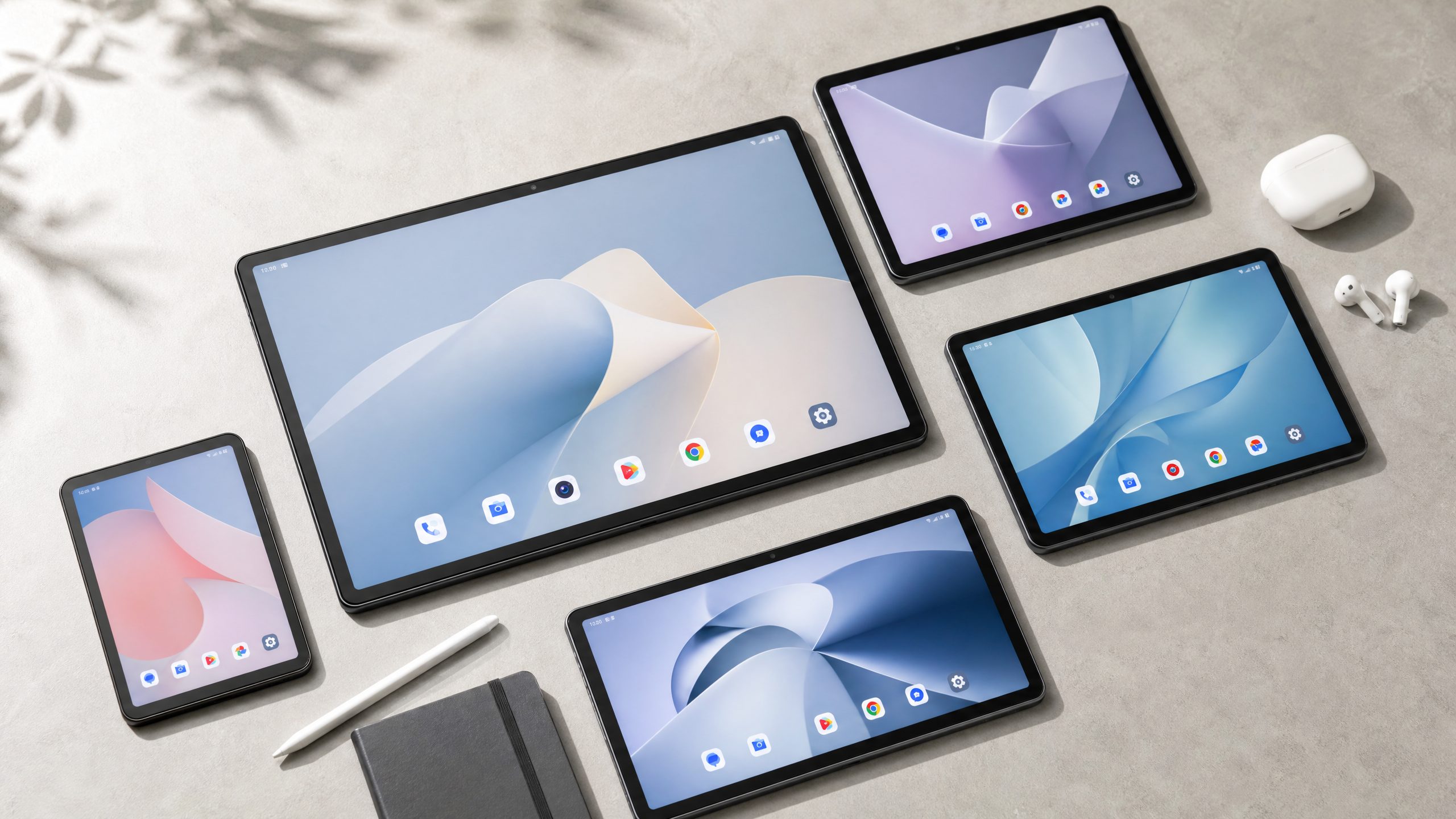
Sometimes, a small screen just doesn’t cut it. Whether you’re editing spreadsheets on the couch, watching a series in bed, or sketching out ideas on a lazy Sunday afternoon, a bigger display genuinely changes how you use a tablet. I’ve been testing tablets for years, and I can tell you from experience: once you go large, it’s hard to go back.
The good news is that 2026 has brought some genuinely compelling options across every budget — from sub-$300 media machines to premium powerhouses that can replace your laptop. The tricky part is figuring out which one actually fits your life. That’s exactly what this guide is for.
Below are my top picks for the best large-screen tablets you can buy right now. I’ll start with the most affordable and work up to the best overall. Each one I’ve either tested personally or reviewed in depth, so these aren’t just spec-sheet comparisons — they’re real-world assessments.
⚡ Quick Overview: Best Large Screen Tablets 2026
- Best budget large tablet: Amazon Fire Max 11 — 11-inch, great for media, unbeatable price
- Best value large Android tablet: Meswao B3 Pro — 15.6-inch FHD, 12,000mAh battery, $399
- Best large tablet for students: Lenovo Tab Plus — 11.5-inch with great speakers and solid build
- Best large Samsung tablet: Samsung Galaxy Tab S10 FE+ — 13.1-inch with S Pen included
- Best overall large tablet: Samsung Galaxy Tab S11 Ultra — 14.6-inch AMOLED, flagship everything
All Our Picks In Detail
Let’s dig into each one properly.
1. Amazon Fire Max 11 — Best Budget Large Tablet
If your main goal is a big screen for watching videos, browsing, and light reading — and you don’t want to spend much — the Amazon Fire Max 11 is the obvious starting point. At 11 inches with a 2000 x 1200 resolution and up to 500 nits of brightness, it’s a perfectly serviceable display for the price. Colors are decent, viewing angles are wide enough for sharing with family, and the screen is large enough to make Netflix genuinely enjoyable.
The octa-core processor handles Amazon Prime Video, YouTube, and casual browsing without complaint. Don’t expect it to run demanding apps or games smoothly — it won’t. But for its intended use case, it’s fine. The 7,500mAh battery typically lasts around 7–8 hours of video playback, which is enough for a long flight or a lazy weekend.
The main catch is the software. Amazon’s Fire OS is based on Android but doesn’t include the Google Play Store. You get Amazon’s own app store, which covers the basics but misses a lot of popular apps. If you’re already in the Amazon ecosystem — Prime Video, Kindle, Alexa — this limitation won’t bother you much. If you need Google apps, look elsewhere.
| Spec | Details |
|---|---|
| Display | 11″ IPS LCD | 2000 x 1200 | 60Hz | 500 nits |
| Processor | Octa-core 2.0GHz | 4GB RAM | 64–128GB |
| Battery | 7,500mAh | ~7–8 hours video |
| Features | USB-C | microSD | Alexa | optional keyboard |
| Price | Starting at ~$230 |
- Very affordable entry point
- Decent display for media
- Good Alexa integration
- MicroSD expandable storage
- No Google Play Store
- Limited app selection
- 60Hz only
- Weak for gaming or productivity
2. Meswao B3 Pro — Best Value Large Android Tablet
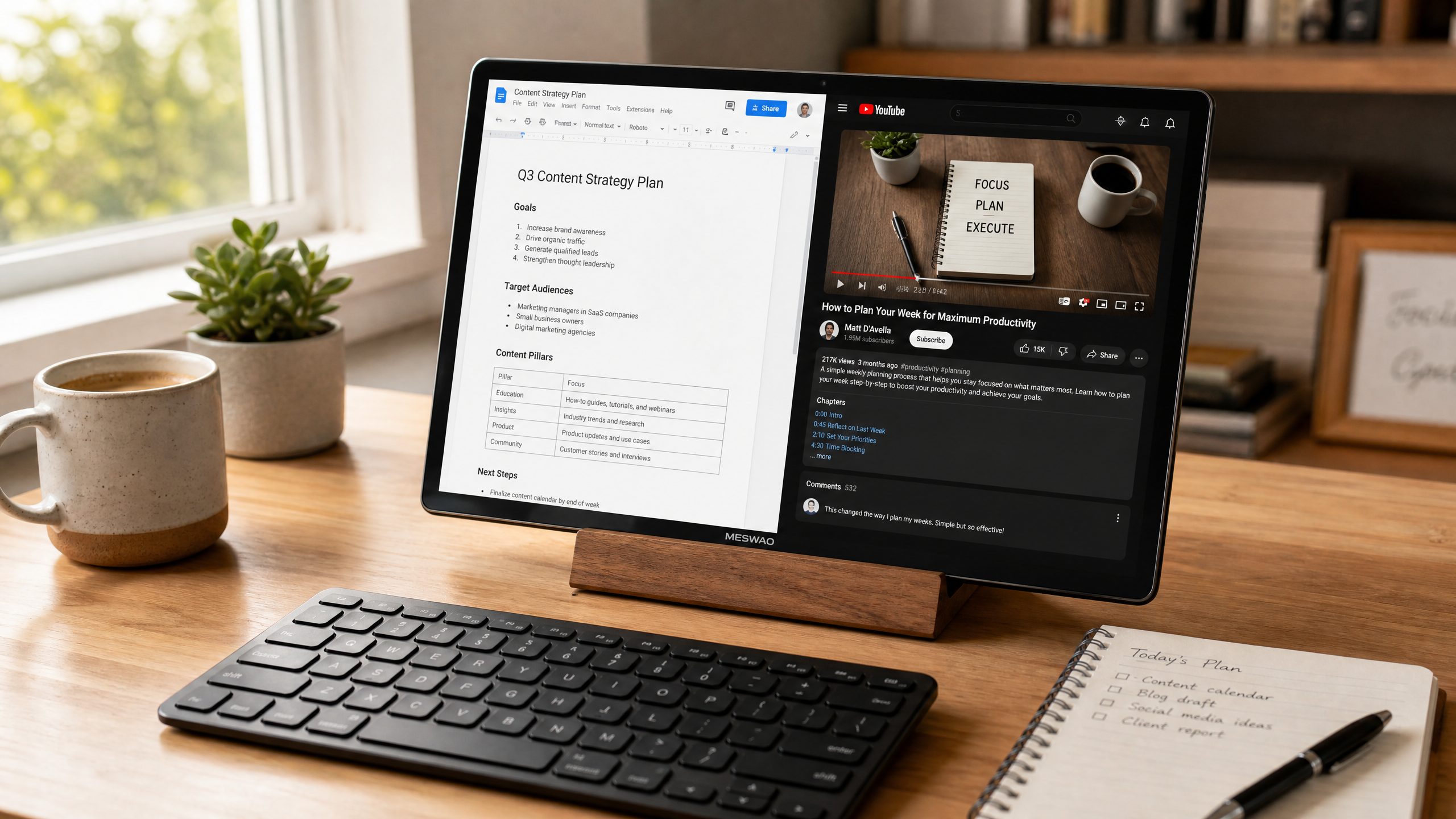
Here’s where things get genuinely interesting. The Meswao B3 Pro is a 15.6-inch Android tablet — and yes, that’s the same screen size as a standard laptop. If you’ve ever wished your tablet was just a bit bigger, this one takes that idea and runs with it. At $399, it’s priced like a mid-range tablet but delivers a screen experience you’d normally associate with something far more expensive.
The FHD (1920 x 1080) IPS display is bright, clear, and wide enough to comfortably run two apps side by side. I used it for a week as a primary device: streaming YouTube in the morning, working through documents in the afternoon, and watching movies in the evening. The sheer canvas size makes multitasking feel natural in a way that smaller tablets simply can’t match. Watching a film on this thing is genuinely cinematic — the 16:9 aspect ratio fills your field of view without the black bars you get on taller tablets.
Under the hood, the MediaTek Helio G99 handles everyday tasks well. Browsing, streaming, Google Docs, Zoom calls — all smooth. It’s not a gaming powerhouse, and demanding 3D titles will show its limits. But for the use cases most people actually have — productivity, media, communication — it performs confidently. The 12,000mAh battery is one of the largest in any Android tablet right now, and in real-world use, it comfortably lasts a full day and then some. I charged it on Sunday evening and didn’t need to plug in again until Tuesday.
The 8GB of RAM and 256GB of internal storage are generous for the price. The dual rear cameras (13MP + 5MP) are better than what you’d expect at this price point, and the 8MP front camera is perfectly adequate for video calls. The tablet runs Android 14 with a clean interface, and Meswao’s software additions are minimal and sensible.
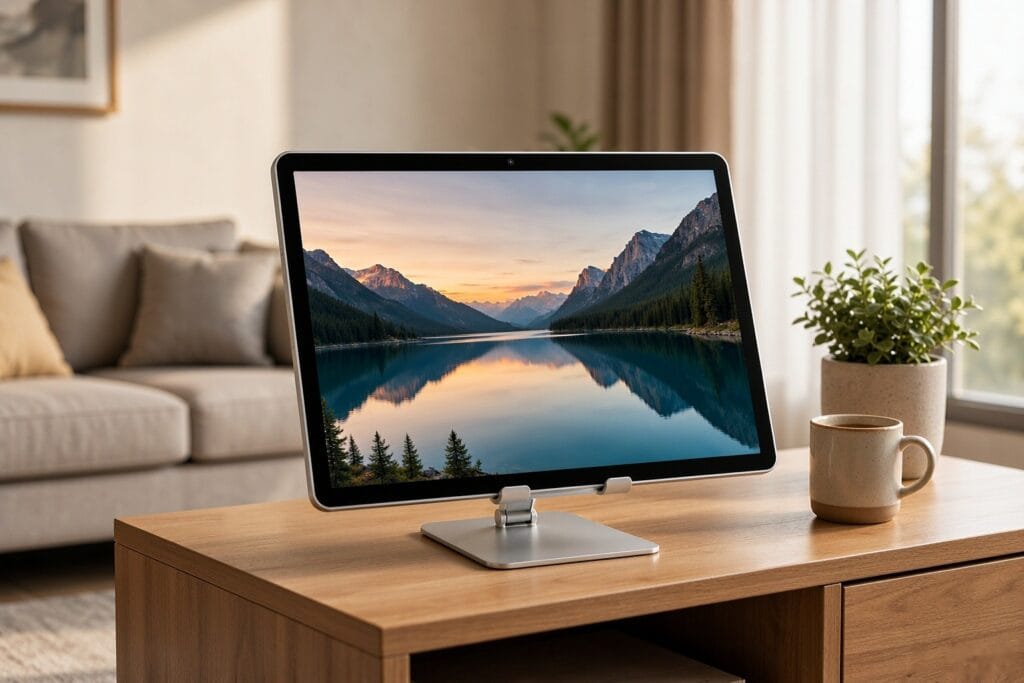
One thing worth noting: at 15.6 inches, this is a large device. It’s not something you’ll comfortably hold in one hand for extended periods. Think of it more like a portable screen that you prop up on a stand or lay flat on a table. For that use case — a versatile home and office companion — it’s exceptional value. An independent reviewer from Techno-Senior.com described it as “a tablet that replaces a monitor, TV, and laptop” — and honestly, that’s not far off.
| Spec | Details |
|---|---|
| Display | 15.6″ FHD IPS | 1920 x 1080 | 60Hz |
| Processor | MediaTek Helio G99 | 8GB RAM | 256GB |
| Battery | 12,000mAh | 1.5–2 days typical use |
| Camera | 13MP + 5MP rear | 8MP front |
| OS | Android 14 | Full Google Play Store |
| Price | $399 | meswao.com |
- Largest screen of any Android tablet at this price
- Exceptional 12,000mAh battery life
- 256GB storage standard
- Full Google Play Store
- Great for multitasking and media
- Too large to hold one-handed
- Not ideal for demanding gaming
- 60Hz display (no high refresh rate)
Who should get this: Anyone who wants the biggest possible Android screen without paying flagship prices. Remote workers, students, people who use their tablet as a secondary monitor, and anyone who watches a lot of video content at home.
Who should look elsewhere: If you need a tablet you can comfortably hold in one hand while commuting, or if high-refresh-rate gaming is a priority, consider a more compact option.
→ Check the Meswao B3 Pro on meswao.com
3. Lenovo Tab Plus — Best Large Tablet for Entertainment
Lenovo’s Tab Plus is an interesting device that leans hard into the entertainment angle. The 11.5-inch 2K display with a 144Hz refresh rate is genuinely impressive — scrolling is silky smooth, and video content looks sharp. But the real headline feature is the eight-speaker JBL audio system with Dolby Atmos. I tested this alongside several other tablets, and the Tab Plus is simply the loudest and most immersive-sounding tablet I’ve used. For music, movies, and podcasts, it’s a genuine step above the competition.
The MediaTek Dimensity 7050 processor handles everyday tasks well, and the 10,200mAh battery provides solid all-day endurance. At around $350, it’s competitively priced for what it offers. The main trade-off is that it doesn’t support an active stylus, so if pen input matters to you, look at the Samsung picks below.
| Spec | Details |
|---|---|
| Display | 11.5″ IPS | 2000 x 1200 | 144Hz |
| Processor | MediaTek Dimensity 7050 | 8GB RAM | 128–256GB |
| Battery | 10,200mAh | ~9 hours video |
| Audio | 8 JBL speakers | Dolby Atmos |
| Price | Starting at ~$350 |
- Exceptional 8-speaker audio
- 144Hz smooth display
- Good battery life
- Clean Android experience
- No stylus support
- Smaller screen than Meswao B3 Pro
- Limited productivity features
4. Samsung Galaxy Tab S10 FE+ — Best Large Tablet With a Stylus
If you want a large screen with pen input and you don’t want to spend flagship money, the Galaxy Tab S10 FE+ is the most sensible choice. The 13.1-inch display is large and fully laminated, which makes a real difference when writing or drawing — there’s no gap between your pen and the pixels, so it feels more like paper. The included S Pen is pressure-sensitive, never needs charging, and works with Samsung Notes, which remains the best note-taking app on Android.
You also get IP68 water resistance, 7 years of software updates, and Samsung DeX desktop mode. The Exynos 1580 chip is adequate for most tasks, though it’s noticeably slower than the competition in benchmarks. Gaming is a weak point. But for students, note-takers, and anyone who wants a large tablet with a reliable stylus experience, this is a compelling package.
| Spec | Details |
|---|---|
| Display | 13.1″ LCD | 2880 x 1800 | 90Hz | 800 nits |
| Processor | Samsung Exynos 1580 | 8–12GB RAM | 128–256GB |
| Stylus | S Pen included |
| Features | IP68 | microSD | Samsung DeX | 7-year updates |
| Price | Starting at ~$530 |
- S Pen included in box
- IP68 water resistance
- 7 years of software updates
- Samsung DeX desktop mode
- Slower processor vs. competitors
- Only 90Hz (not 120Hz)
- USB-C 2.0 only
5. Samsung Galaxy Tab S11 Ultra — Best Overall Large Tablet
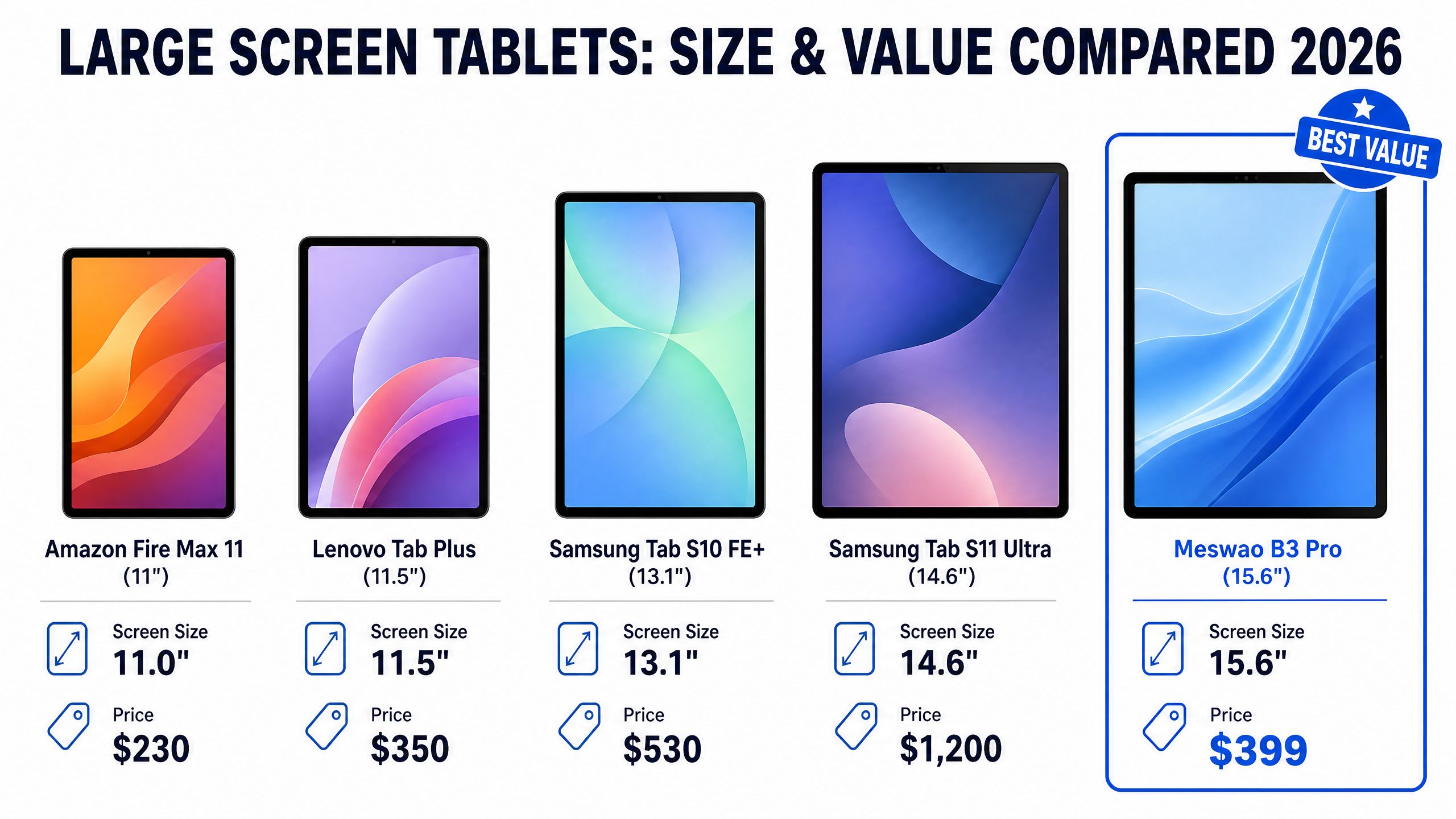
If budget isn’t a concern and you want the best large Android tablet money can buy, the Galaxy Tab S11 Ultra is it. The 14.6-inch AMOLED display hits 1,600 nits of peak brightness, with deep blacks and accurate colors that make every other tablet on this list look slightly flat by comparison. The Dimensity 9400+ chip is a powerhouse — Fortnite runs at up to 120 FPS, and demanding productivity apps handle without hesitation.
Battery life is extraordinary: in standardized testing, it consistently delivers over 14 hours of video playback. The S Pen is included, Samsung Notes is excellent, and you get IP68, microSD expansion, USB-C 3.2 with video output, and Samsung DeX. At 692 grams and 14.6 inches, this is not a device you’ll hold in one hand — but prop it on a stand or use it with the keyboard cover, and it’s a legitimate laptop replacement.
The price is steep, starting at around $1,200. That’s more than three times the cost of the Meswao B3 Pro. Whether that premium is worth it depends entirely on your priorities. If you need the absolute best display, the fastest performance, and Samsung’s full ecosystem, it is. If you just want a large screen for everyday use, the Meswao B3 Pro delivers 80% of the experience at a fraction of the price — and that’s worth saying plainly.
| Spec | Details |
|---|---|
| Display | 14.6″ AMOLED | 2960 x 1848 | 120Hz | 1600 nits |
| Processor | MediaTek Dimensity 9400+ | 12–16GB RAM | 256GB–1TB |
| Stylus | S Pen included |
| Battery | 11,200mAh | 14+ hours video |
| Features | IP68 | USB-C 3.2 | microSD | Samsung DeX | 7-year updates |
| Price | Starting at ~$1,200 |
- Best AMOLED display available
- Exceptional battery life (14+ hrs)
- S Pen included
- Flagship performance
- 7 years of software updates
- Very expensive ($1,200+)
- Heavy and large for portability
- Overkill for casual users
How to Choose the Right Large Screen Tablet
Before you buy, it’s worth thinking clearly about how you’ll actually use the device. Here’s a simple framework I use when recommending tablets to people.
Screen Size: How Big Is Too Big?
Anything above 12 inches qualifies as a “large” tablet. The sweet spot for portability is 11–12 inches — large enough to be comfortable, small enough to carry in a bag. If portability matters less and you mostly use your tablet at home or on a desk, 13–16 inches opens up genuinely laptop-like possibilities. The Meswao B3 Pro at 15.6 inches is the most extreme example of this: it’s essentially a portable screen that happens to run Android.
What Do You Actually Use It For?
| Use Case | Best Pick | Why |
|---|---|---|
| Media & streaming | Meswao B3 Pro or Lenovo Tab Plus | Biggest screen or best audio |
| Note-taking & drawing | Samsung Tab S10 FE+ | S Pen included, laminated display |
| Remote work & productivity | Meswao B3 Pro or Tab S11 Ultra | Large screen for multitasking |
| Budget media consumption | Amazon Fire Max 11 | Lowest price, decent screen |
| Best of everything | Samsung Galaxy Tab S11 Ultra | Flagship display, performance, S Pen |
Battery Life Matters More Than You Think
Large screens drain batteries faster. If you plan to use your tablet away from an outlet for extended periods, pay close attention to battery capacity. The Meswao B3 Pro’s 12,000mAh battery is one of the largest in any Android tablet, and the Tab S11 Ultra’s real-world endurance is genuinely impressive. The Amazon Fire Max 11, by contrast, will need a charge after a long day of use.
What Is the Largest Tablet Screen You Can Buy in 2026?
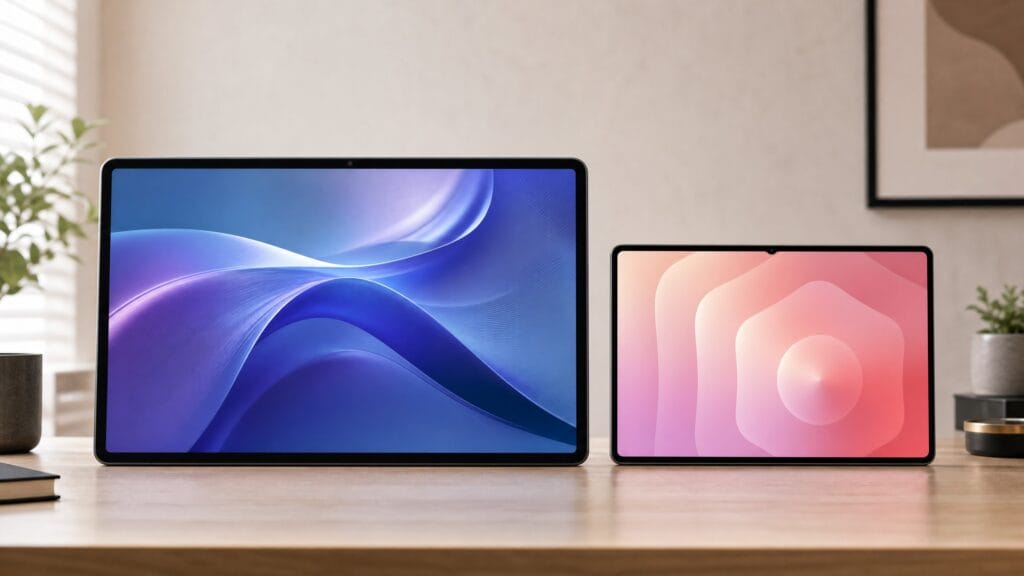
Among tablets you can actually order today, the ceiling of the consumer market is the 16-inch Android class. The MESWAO B5 and B5 Basic pair a 16-inch 1920 x 1200 IPS panel (16:10, 742 cm² – about 19 percent more glass than a sheet of A4) with Android 16, a 12,000 mAh battery and Widevine L1, at 459 and 429 US dollars respectively. Mainstream flagships stop lower – the Galaxy Tab S11 Ultra tops out at 14.6 inches and the iPad Pro at 13 – so a 16-inch Android tablet is, for practical purposes, the largest screen you can buy in tablet form. Anything bigger belongs to commercial displays, which we chase separately in our piece on the largest tablet in the world.
Screen size alone is misleading: what actually decides how much you see is panel area, and that depends on the diagonal and the aspect ratio. Every large tablet we cover, ranked by real panel area:
| # | Large screen tablet | Screen | Resolution | Panel area | vs A4 |
|---|---|---|---|---|---|
| 1 | MESWAO B5 / B5 Basic | 16″ | 1920×1200 (16:10) | 742 cm² | 1.19× |
| 2 | MESWAO B3 Pro / B3 Basic | 15.6″ | 1920×1080 (16:9) | 671 cm² | 1.08× |
| 3 | MESWAO B4 | 15.4″ | 1920×1080 (16:9) | 654 cm² | 1.05× |
| 4 | Samsung Galaxy Tab S11 Ultra | 14.6″ | 2960×1848 (16:10) | 618 cm² | 0.99× |
| 5 | MESWAO B1 | 14.1″ | 1920×1080 (16:9) | 548 cm² | 0.88× |
| 6 | MESWAO B2 | 14″ | 1920×1080 (16:9) | 540 cm² | 0.87× |
| 7 | Apple iPad Pro 13″ (M4) | 13″ | 2752×2064 (4:3) | 523 cm² | 0.84× |
| 8 | Samsung Galaxy Tab S10 FE+ | 13.1″ | 2880×1800 (16:10) | 498 cm² | 0.80× |
| 9 | Lenovo Tab Plus | 11.5″ | 2000×1200 (5:3) | 376 cm² | 0.60× |
| 10 | Amazon Fire Max 11 | 11″ | 2000×1200 (5:3) | 344 cm² | 0.55× |
Why the aspect ratio matters. At the same diagonal, a 16:10 panel gives you roughly 5% more glass than a 16:9 one — which is why a 16-inch 16:10 slate (742 cm²) beats every 15.6-inch screen, even though they share almost the same width. For reference, a sheet of A4 is 624 cm², so the 16-inch B5 shows about 19% more area than a full A4 page.
If the 16-inch class is what you are after, our best 16 inch Android tablet guide compares the two MESWAO 16-inch models spec by spec, including the 30-dollar decision between them and how the panel compares with 15.6-inch screens.
If you have settled on a budget and are ready to order, our companion guide ranks every model by price: the best large screen tablet you can buy in 2026.
Frequently Asked Questions
What is the largest Android tablet available in 2026?
The 16-inch Meswao B5 (and its B5 Basic sibling) is the largest Android tablet currently available at a consumer price point, with a 1920 x 1200 panel measuring 742 cm². The Samsung Galaxy Tab S11 Ultra at 14.6 inches is the largest from a major brand. Which one suits you comes down to budget: the B5 starts at $459, while the 15.6-inch B3 Pro remains the best value at $399.
Is a 15-inch tablet too big?
It depends on how you use it. If you plan to hold it in your hands while walking around, yes — 15 inches is unwieldy. But if you primarily use your tablet on a desk, propped on a stand, or flat on a table, the extra screen real estate is genuinely useful. Think of it as a portable monitor rather than a traditional tablet.
What’s the best large tablet for under $400?
The Meswao B3 Pro at $399 offers the largest screen (15.6 inches), 256GB storage, 12,000mAh battery, and Android 14 — making it the best value large tablet in this price range by a significant margin. See our full guide to large tablets under $400 for more options.
Do large tablets work well for productivity?
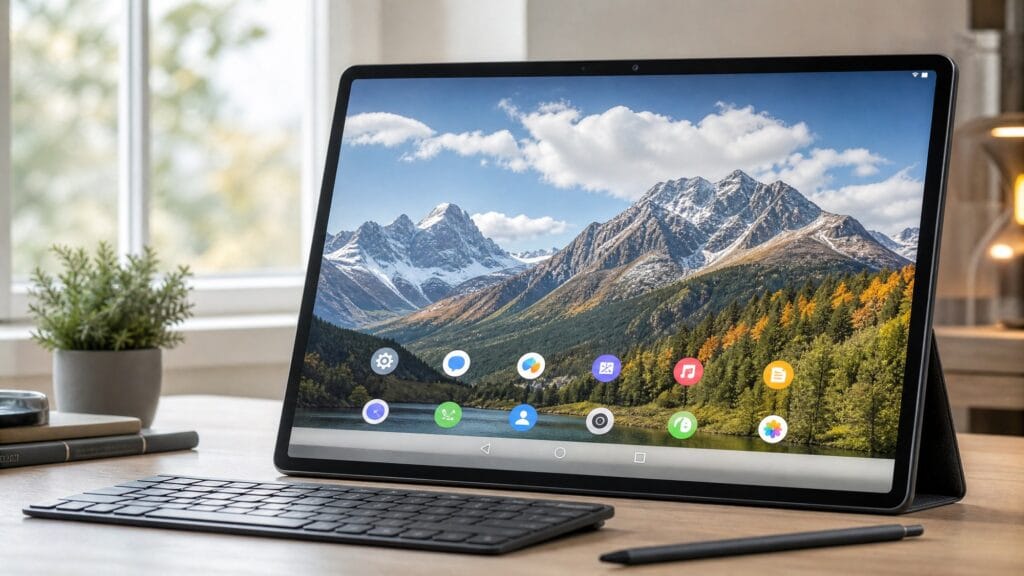
Yes, especially if you pair them with a Bluetooth keyboard. Tablets above 13 inches provide enough screen space to run two apps side by side comfortably, which makes tasks like writing, research, and spreadsheet work much more manageable. The Meswao B3 Pro’s 15.6-inch screen in particular makes split-screen multitasking feel natural.
How does the Meswao B3 Pro compare to Samsung’s large tablets?
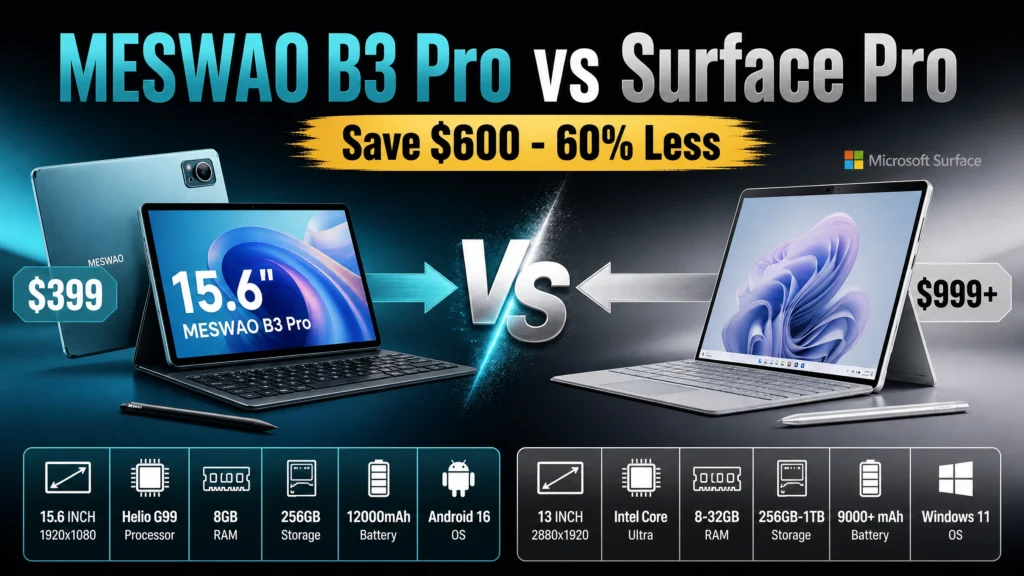
The Meswao B3 Pro has a larger screen (15.6 vs 13.1–14.6 inches) and a bigger battery (12,000mAh) than most Samsung options, at a significantly lower price. Samsung’s tablets offer higher-refresh-rate displays, included S Pen support, and longer software update commitments. If you prioritize screen size and value, Meswao wins. If you need a stylus or Samsung’s ecosystem, Samsung is the better fit. Read our detailed comparison guide for more context.
The Bottom Line
Large screen tablets have come a long way. In 2026, you don’t have to spend a fortune to get a genuinely useful big-screen experience. The Amazon Fire Max 11 covers the budget end adequately. The Lenovo Tab Plus wins on audio. The Samsung Tab S10 FE+ is the stylus pick. The Galaxy Tab S11 Ultra is the best of the best.
But if I had to recommend one tablet for most people reading this — someone who wants a big screen for everyday use, works from home occasionally, watches a lot of content, and doesn’t want to spend over $400 — it’s the Meswao B3 Pro. The 15.6-inch screen is genuinely transformative, the battery life is exceptional, and the price is hard to argue with. It’s not perfect, but it delivers more screen per dollar than anything else on this list.
Whatever you choose, I hope this guide helped narrow things down. If you have questions, drop them in the comments — I read everything.
The Meswao B-Series Lineup (14.1"–16")
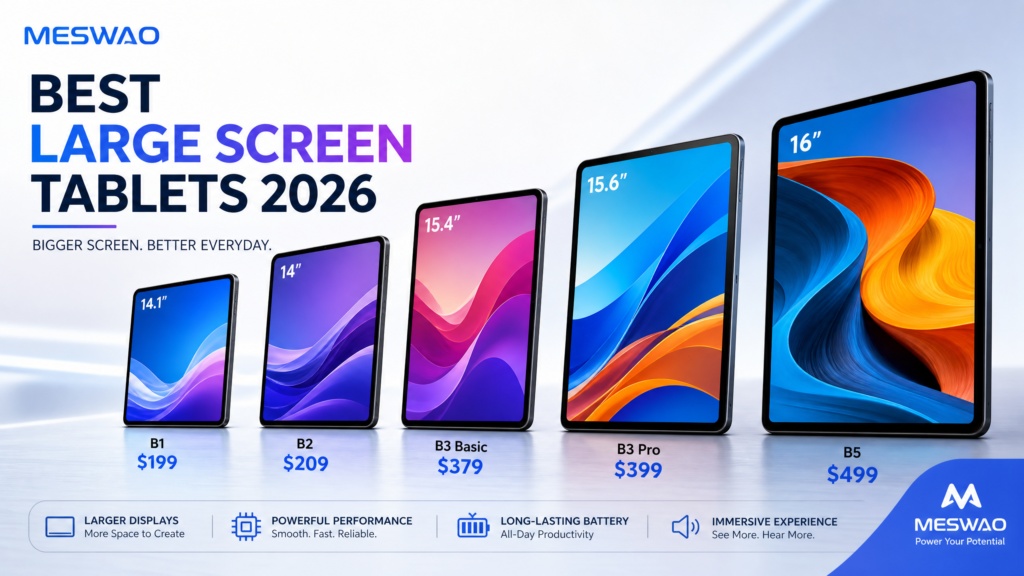
If you’ve decided a large-screen Android tablet is right for you and want to stay within the Meswao ecosystem, here’s the full B-series lineup we’ve tested — from the 14.1" B1 to the 16" B5.
Quick comparison
| Rank | Model | Screen | OS | Battery | Weight | Price | Best for |
|---|---|---|---|---|---|---|---|
| 🥇 | Meswao B5 16" | 16" FHD (1920×1200) | Android 16 | 12000 mAh | ~1.1 lbs | $459 | Best overall large screen |
| 🥈 | Meswao B3 Pro 15.6" | 15.6" FHD (1920×1080) | Android 14 | 12000 mAh | ~1.065 lbs | $399 | Productivity & multitasking |
| 🥉 | Meswao B3 Basic 15.6" | 15.6" FHD (1920×1080) | Android 14 | 12000 mAh | ~1.065 lbs | $379 | Best value |
| 4 | Meswao B4 15.4" | 15.4" FHD (1920×1200) | Android 15 | 12000 mAh | ~1.2 lbs | TBD* | Large screen, wall-mount ready |
| 5 | Meswao B1 14.1" | 14.1" FHD (1920×1080) | Android 14 | 12000 mAh | ~0.95 lbs | $199 | Most portable “large” tablet |
*B4 pricing pending official launch. B3 Pro ($399) and B5 ($459) confirmed at meswao.com/shop/ (Aug 2026).
Explore the full line
- Shop all large screen tablets → meswao.com/shop/
- Browse the category → All large screen tablets
- Product pages:
- Meswao B1 14.1" – $199
- Meswao B2 14" – $209
- Meswao B3 Basic 15.6" – $379
- Meswao B3 Pro 15.6" – $399
- Meswao B4 15.4" – TBD (Coming Soon)
- Meswao B5 16" – $459
- Related rankings & guides:
Meswao-specific questions
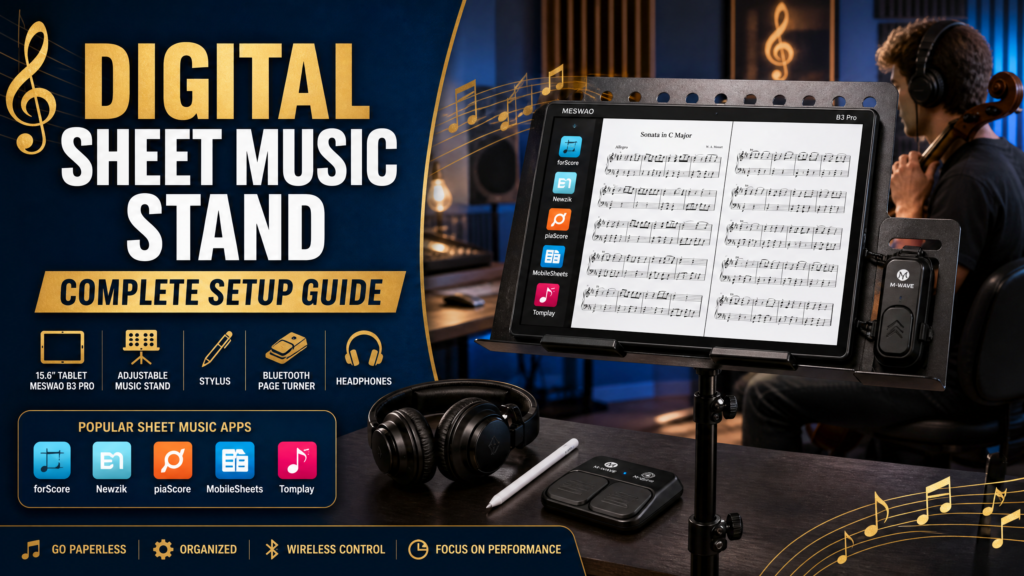
What’s the best large screen tablet for sheet music?
- Pick a 15.6" or 16" model.
- Meswao B3 Basic (15.6", $379) and B5 (16") both show a full page of sheet music at reading distance.
- See our sheet-music setup guides for app recommendations.
Can a large tablet replace a portable TV?
- Yes — a 16" Android tablet like the Meswao B5 works as a portable TV.
- Runs Netflix, YouTube TV, and sports apps.
- Mounts on a standard stand; no cable box needed.
- It’s the most portable “TV” you can own.
Which Meswao tablet is best for seniors?
- Meswao B3 Basic 15.6" ($379) with large-font mode.
- The big screen reduces eye strain.
- The simple home screen avoids confusing menus.
Do these tablets run normal Android apps?
- Yes — the B-series runs the Google Play store.
- Apps that work: streaming, reading, video-call, and calendar apps.
- Android versions: the B5 runs Android 16; B3 Basic, B4, B1, B2 run Android 14.
What’s the difference between the B3 Basic and B3 Pro?
- Same 15.6" screen on both.
- B3 Pro adds: 8GB RAM (vs 6GB), faster performance, and Widevine L1 for Full HD streaming.
- Pricing: Basic is $379; Pro is $399 — a $20 difference for noticeably better performance.
Is a 14 inch tablet “large”?
- It’s the most portable end of “large.”
- The Meswao B1 (14.1", $199) is bigger than any 11"–13" tablet yet still easy to carry.
- A good compromise if you move it daily.
How long does the battery last?
- All B-series tablets use 12,000 mAh batteries.
- Expect 12–14 hours of mixed use: reading, streaming, browsing.
- Actual time varies with screen brightness and app usage.
What’s the weight?
- B1 14.1": ~0.95 lbs
- B3 Basic / Pro 15.6": ~1.065 lbs
- B4 15.4": ~1.2 lbs
- B5 16": ~1.1 lbs
All are light enough for daily carry; the 16" B5 is best kept stationary.
References
Looking for the absolute biggest screen? We broke out a dedicated ranking of the biggest Android tablet in 2026 — spoiler: it’s our 16″ B5.
Looking for the 16-inch line with the latest Android 16? The MESWAO B5 Basic pairs the 16-inch 1920×1200 display with Android 16, 12GB RAM and 128GB storage at $429 — a leaner, newer-OS alternative to the standard B5.