




Tablet Activities for Dementia Residents: A 12-Week Session Plan

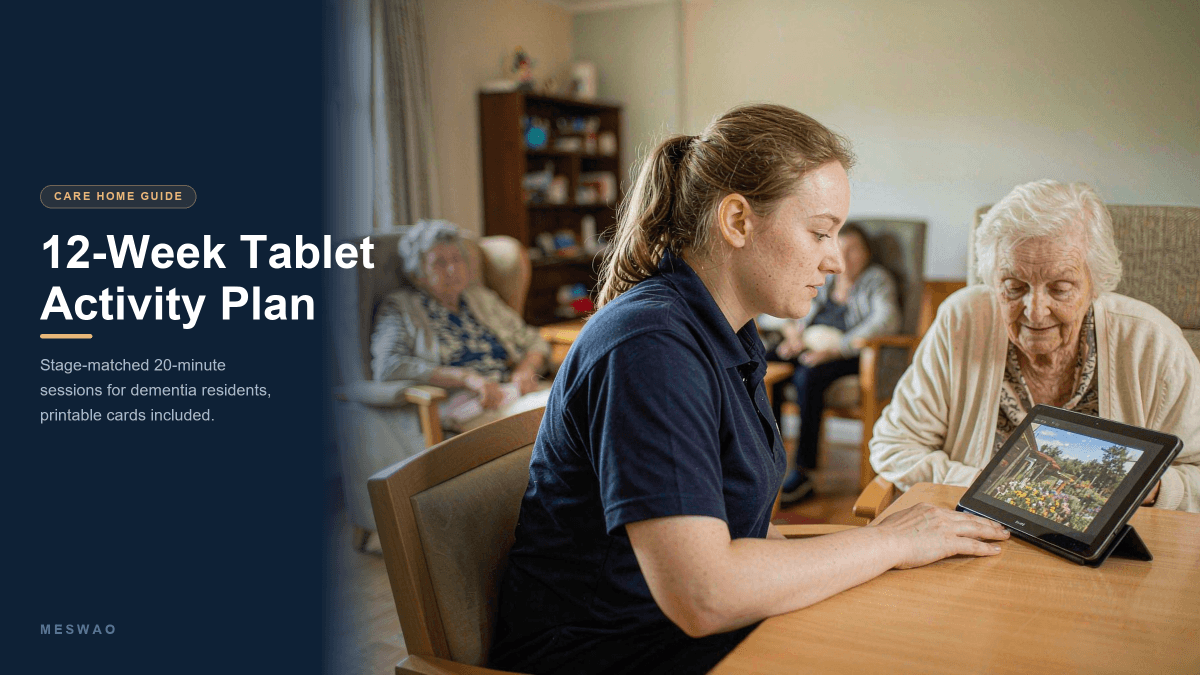
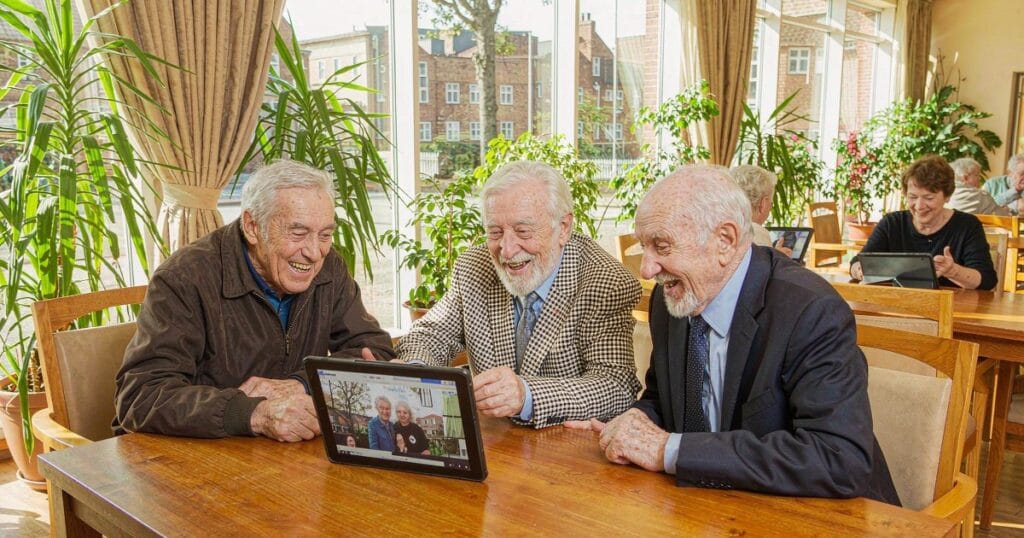
There is a moment in almost every care home activity session when the tablet comes out, the room goes quiet, and four people lean in to look at the same photograph. That moment is not luck. It comes from choosing one activity, one screen and one job, and giving it twenty minutes.
This is the plan we hand to activity coordinators. It runs for twelve weeks, twenty minutes per session, and it is written so that a staff member who has never run a tablet session can pick it up on a Monday morning and use it that afternoon. Print it, drop it in the activities folder, and adapt it to the people in front of you.
Short answer: run short sessions of 15–30 minutes, one-to-one or in a group of two to four, built around a single screen-based prompt — a photograph, a song, a jigsaw. Match the demand of the activity to the resident’s stage, not to the diagnosis on their file. Use a screen of 15.6″ or larger so a small group can see it at once, and keep a printed fallback on the table next to the tablet.
If you have not chosen the device yet, read our care-home tablet guide first — it covers the seven specs that matter, the iPad comparison, cost per room and the procurement checklist. This page assumes the tablet is already in the building and starts from there.
The 20-minute session format that works
A dementia-friendly session has a shape. The same four beats every time, in the same order, is what lets a resident who cannot hold a new routine in memory still settle into this one. Staff carry the routine; the resident only has to arrive in it.
| Beat | Minutes | What staff does | What it looks like |
|---|---|---|---|
| 1. Settle | 2–3 | Same opening line every session. Screen already open, already on the first image. No menus in view. | “Shall we look at this together for a few minutes?” Tablet already on the table, not pulled out of a bag. |
| 2. One screen, one job | 10–14 | One activity only. No app switching mid-session. Staff taps when needed; the resident does not have to operate anything. | A slideshow of six photos, or one jigsaw, or one playlist — visible from where everyone is sitting. |
| 3. Shared close | 3–4 | End on the thing that landed. Repeat the best line or image once, then stop. | “We’ll come back to the garden photos on Thursday.” Stop while it is still going well. |
| 4. Two-line note | 1 | Write what worked, on paper or in the care record — not in your head. | “Kitchen objects — talked about the mangle for 6 min. Hated the jigsaw.” |
Two rules do most of the work here. Never end on a failure. If the resident disengages at minute four, close positively and log it — that is a successful session, not a wasted one. And the staff operates the device, not the resident. Handing over the tablet turns a social activity into a dexterity test, and a dexterity test is the fastest way to lose the room.
Match the activity to the stage, not the diagnosis
“Dementia” covers a decade of change. The same jigsaw that delights someone in year two is a humiliation for someone in year eight, and a blank screen of shapes for someone in year ten. Work from the care plan, then use this table as a starting point — and remember that stage can shift day to day, and shifts reliably in the late afternoon.
| Stage | What still works | Session shape | What to avoid |
|---|---|---|---|
| Early stage | Two-step instructions, quizzes, brain-training apps, learning a new app together, group of four around one screen | 20–30 min. Can be a group. Resident may tap for themselves. | Scoring, leaderboards, being corrected, anything that makes the diagnosis visible in public |
| Middle stage | Recognition over recall — familiar photos, songs from their twenties, matching pairs, simple jigsaws with a picture reference | 15–20 min. One-to-one or a pair. Staff drives. | Open questions (“do you remember?”), switching apps mid-session, more than one person talking at once |
| Later stage | Sensory and relational — a single large photo, familiar music, hand-under-hand touch, faces of family, your voice naming what is on screen | 5–15 min. One-to-one only. No interaction required from the resident. | Quizzes, any activity with a right answer, two-choice questions where both options are wrong, busy or fast-moving video |
When you are unsure which column a resident sits in, aim one level easier than you think. Under-shooting costs you five minutes and a shrug. Over-shooting can cost you the activity for a month, because the resident remembers the feeling of failing even when they cannot remember the task.
The 12-week plan
The sequence matters. Weeks 1–7 are one-to-one or pairs, so that staff build a reliable picture of what each resident responds to. Weeks 8–12 move to small groups, once you know which four people will actually enjoy sitting together. Each week reuses the same opening and closing beats from above.
| Week | Theme | On the screen | Format | Min | Success looks like |
|---|---|---|---|---|---|
| 1 | Their own photos | Shared album of family photos supplied by relatives — six images, nothing else | 1:1 | 15 | Resident names a person unprompted |
| 2 | Music from their era | A playlist built around the year they turned twenty | 1:1 | 15 | Toe-tapping, humming, or singing along |
| 3 | Everyday objects | Object-reminiscence app or a curated slideshow of kitchen, workshop and shop items | 1:1 | 15 | A story comes out that is not about the tablet |
| 4 | One jigsaw | 24–35 piece jigsaw with a picture reference on screen | 1:1 | 20 | Resident reaches for the screen without being asked |
| 5 | Work and sport | Photos of the trade they worked in, or a three-minute clip of a match from their era | 1:1 | 15 | Resident corrects the staff member about a detail |
| 6 | The street they grew up on | Street-view images of the road, the school, the church, the old shop | 1:1 | 15 | Resident gives directions to a place that no longer exists |
| 7 | Build one life-story page | Three photos, one song, one sentence, saved as a single page | 1:1 | 25 | A page exists that staff can reopen with the resident cold |
| 8 | Singalong | Lyric videos on the large screen, one song per ten minutes | Group of 4–6 | 25 | Someone who rarely speaks joins the chorus |
| 9 | Matching pairs | Twelve-card matching game, large cards, no timer | Group of 3 | 15 | The group starts calling out to each other, not to staff |
| 10 | Rehearsed video call | A call with a relative, rehearsed the day before with a staff member’s own phone | 1:1 | 15 | Resident stays for the whole call without leaving the seat |
| 11 | Five-question quiz | Five questions with no scores, no timer, answers as pictures | Group of 4–6 | 20 | Everyone contributes at least once |
| 12 | Review and handover | Build each resident a three-item personal menu from what worked | Staff only | 30 | Any staff member can open the right thing for the right person in under a minute |
If twelve weeks is too long a commitment to start with, run weeks 1, 2 and 3 and then decide. Those three weeks answer the only question that matters at the start: who in this building actually wants this? Everything after that is logistics.
Five fallbacks for the days nothing works
Some sessions collapse. The resident is tired, the room is loud, it is 4pm and the light has changed. Keep these five ready; each needs no setup and no explanation.
- One photograph. Not a slideshow. One image, full screen, and one question: “Where do you think this is?”
- One song. Their song. Play it once, all the way through, and say nothing during it.
- Hands busy, eyes off. Fold laundry or sort buttons next to the tablet while music plays. The tablet is atmosphere, not the task.
- Your own camera roll. Photos of the home’s garden, the kitchen, the corridor decorated for a birthday. Familiar places beat famous ones.
- Stop deliberately. Close the session at three minutes with “that was nice, thank you.” Logging a short, positive session is worth more than forcing twelve minutes.
Load these before week 1
Setup is a one-off hour, done before the first session, never in front of a resident. Everything below is free or already on the device; you do not need to buy apps to run this plan.
| What | Why it earns its place | Note |
|---|---|---|
| Shared photo album | Week 1 and the strongest fallback. Relatives add photos from their own phones. | One album per resident, named with their name. Never one shared album for the whole home. |
| Three playlists per resident | Music is the most reliable engagement tool in dementia care, and it needs no instruction. | Label them by decade, not by genre. Build them with the family, not for them. |
| Object-reminiscence content | Everyday objects prompt stories that photos of people do not. | Free museum and library collections exist for this; a curated slideshow of 30 local images works just as well. |
| A jigsaw and a matching game | Weeks 4 and 9. Both must work with a picture reference visible. | Test at the largest piece count the resident can finish in 20 minutes, then halve it. |
| Street view | Week 6. Costs nothing and produces the longest conversations in the plan. | Bookmark each resident’s street before the session. Searching live kills the moment. |
| A home-screen shortcut to each resident’s menu | Week 12’s handover only works if the next staff member can find it in under a minute. | Name shortcuts with the resident’s name, not the app’s name. |
| A printed fallback | Battery, Wi-Fi and updates will all fail at some point. | Six printed photos and a printed song list in the activities folder. No screen required. |
Two device-level settings worth changing before week 1: turn off auto-lock (a screen that dims mid-song reads as broken, and a resident will not wake it), and turn off notifications for everything except calls. On a large-screen tablet, also check that the display is bright enough for a room with daylight on the wrong side — that is a screen-size and brightness question, covered in the senior tablet comparison and in our low-vision guide.
Consent, dignity and the photo problem
Tablets collect images of people at their most unguarded. That makes this the part of the plan most likely to go wrong, and it is worth ten minutes of management attention before week 1 rather than after an incident.
- Consent is about the photo, not the activity. Agreeing to join a session is not agreeing to appear on the home’s social media. Record separately, in writing, and default to no.
- Assume capacity fluctuates. A resident who consented last month may not be able to reaffirm it today. If they turn away from the camera, that is a no, whatever the form says.
- Keep devices in the room. Shared tablets should not leave the building, and personal photo albums should never sit on a device that is also used for staff admin.
- One device, one purpose. If the tablet is also the home’s rota screen or a staff email device, resident photos and staff data end up in the same gallery. Use a separate device or a strict guest profile.
If a relative asks whether the tablet is “being used for surveillance”, the honest answer is that a tablet in a communal room is visible and shared, and that no session is recorded. Say that out loud at the family meeting — it prevents a much worse conversation later. The wider governance questions about shared devices, profiles and what belongs on a care-home tablet are covered in the care-home tablet guide.
When a resident says no
Refusal is information, not rejection. It usually means the demand is too high, the room is too loud, the timing is wrong, or the person needs the toilet. Treat it as a signal to change one variable, not to abandon the resident.
| What you see | Likely cause | Try instead |
|---|---|---|
| Turns head away, closes eyes | Overstimulation, or the screen is too close | Move the screen further back, drop the volume by half, say nothing for 30 seconds |
| “I don’t want to” | Demand too high, or a bad experience last time | Drop to the fallback list. Offer the choice between two things, never between “this” and “nothing” |
| Agitation rising late afternoon | Sundowning — a real and very common late-day pattern | Move sessions to the morning for this resident and stop by 3pm. Music only, no tasks |
| Taps repeatedly, then loses interest | The activity is too easy to hold attention but too fiddly to enjoy | Take the device back, go to a single photo with a story attached |
| Repeats the same question about the tablet | The object is new and therefore suspect | Leave the tablet on the table, switched on, for a week before asking again |
The printable session card
Print one of these per resident and keep it in the activities folder. Staff who have never met the resident should be able to run a session from the card alone. Print this page with your browser’s print function — the card is short enough to fit on one sheet.
| Resident | |
| Stage / working level | Early / Middle / Later |
| Best time of day | |
| Three things that work | 1. 2. 3. |
| Two things to avoid | 1. 2. |
| Opening line | |
| Song / album that lands | |
| Consent for photos | Yes / No / Re-confirm each session |
| Last reviewed |
How to tell if it is working
Do not measure “sessions delivered”. A home can hit its activity target every week and still be running twelve minutes of silence at a screen. Four numbers, recorded in under a minute per session, tell you whether the plan is doing anything.
| Metric | How to record | What good looks like |
|---|---|---|
| Engagement minutes | Clock it. From first look to last look, not session length. | Rising across weeks 1–4 for the same resident |
| Initiations | Count each time the resident reaches for, points at or touches the screen unprompted | More than one in a session by week 3 |
| Conversation turns | Rough count of back-and-forth exchanges, not words | Ten or more, and not all from staff |
| Mood at close | One word: brighter / same / flatter than at the start | “Brighter” on more than half of sessions across a month |
Review monthly, and change one variable at a time. If engagement minutes are flat after four sessions of the same activity, the activity is wrong, not the resident. Move to the fallback list and rebuild from the one thing that held attention.
FAQ for activity coordinators
How long should a tablet session last for someone with dementia?
Fifteen to twenty minutes is the working range for middle-stage dementia, and five to fifteen for later stage. Early-stage residents can usually manage twenty-five to thirty. Stop while it is still going well rather than waiting for the resident to disengage — the ending is what they are most likely to remember.
What size tablet do you need for a group activity?
15.6″ or larger for any communal room. The reason is area, not headline inches: a 16″ screen gives you roughly 742 cm² of display, about 1.19× a sheet of A4, and that is what lets four people read the same photograph at once. Anything around 10″ forces the group into a huddle, and a huddle excludes the people at the back. The size and area comparison is in the senior tablet guide, and the room-by-room selection logic is in the care-home guide.
Should residents hold the tablet themselves?
For early stage, yes, if they want to. For middle and later stage, no — a staff member holds or places the device. Handing over a tablet introduces a dexterity task on top of the activity, and a dropped device ends the session for everyone in the room. A stand or a case with a hand strap removes most of this problem.
Do we need to buy apps for this to work?
No. The plan above runs on a photo album, three playlists, street view, a free jigsaw and a free matching game. Paid brain-training subscriptions are useful for early-stage residents who want a challenge, but they are the least important line in the budget, and a subscription that lapses mid-year takes the activity with it.
Is a tablet a replacement for staff-led activity?
No, and it should not be presented as one. A tablet is a prompt and a shared object — it works because two people are looking at the same thing and one of them is talking. Remove the staff member and you have a screen in a room, which is what most “technology in care” projects get wrong. Budget the staff minutes, not just the devices.
Where to go next
- Choosing the device: Tablets for nursing homes and care homes — specs, iPad comparison, room-by-room selection, cost per room, procurement checklist.
- Setting it up: the elderly-user setup and buying guide — text size, home screen, accessibility settings, remote support.
- Low vision: best tablets for older adults with bad eyesight.
- Hardware for communal rooms: the 16″ B5 and 15.6″ B3 Pro, or the full large-screen tablet range.
A note on scope: this plan is activity guidance for care staff, not clinical advice. Work from each resident’s care plan and your own regulator’s activity standards, and adapt or drop any week that does not suit the people in the room.