




Meswao vs Dragon Touch: Which Digital Family Calendar Is Better?

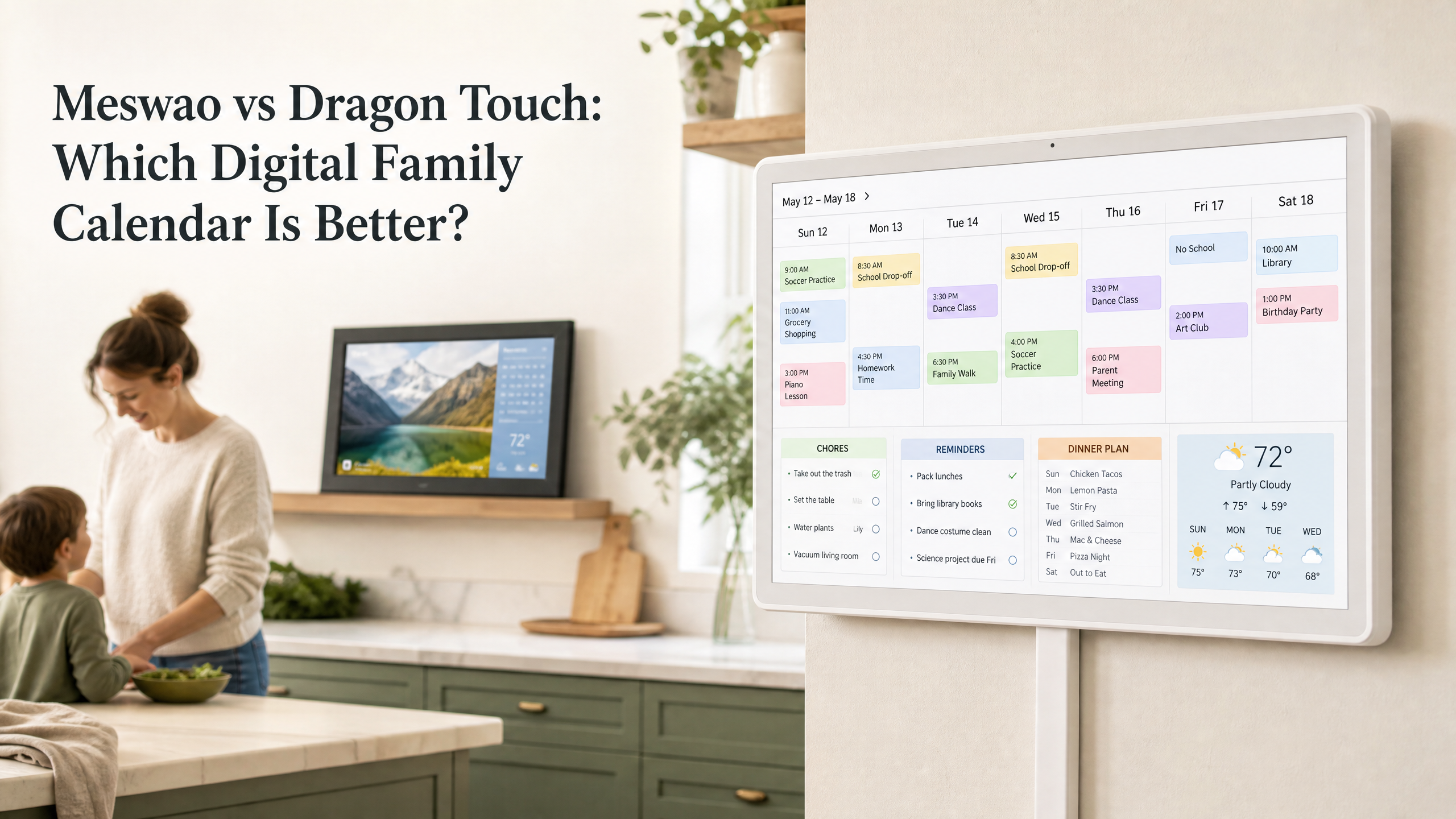
Meswao vs Dragon Touch is a closer comparison than the old version of this article suggested. Dragon Touch is not simply a maker of small tablets or basic photo frames. Its official Digital Calendar product is a genuine touchscreen family organizer with calendar synchronization, color-coded events, chore charts, dinner planning, grocery lists, photo display, and optional advanced tools. Meswao is competing in the same broad category, but the buying decision still comes down to screen size, placement, software workflow, subscription expectations, and the kind of household display you want to live with every day.
This guide compares the two brands as electronic family calendar products, while keeping Dragon Touch’s separate digital photo-frame line distinct. It also corrects an important Meswao detail: the current in-stock Meswao calendar models discussed here are the 15.6-inch and 21.5-inch versions. They are white, horizontal, dedicated touchscreen family calendars designed for a wall, counter, kitchen, entryway, or family room. They should not be described as generic Android tablets.
Dragon Touch offers a wider set of calendar size variants on its official product page, including 10.1, 15.6, 21.5, 24, 27, and 32 inches, with specifications and availability varying by selected variant [1] [2]. Because a product page can show different options, prices, and promotions over time, this article focuses on the product experience rather than presenting a temporary Dragon Touch sale price as a permanent comparison.
Meswao vs Dragon Touch: the quick answer
Choose Meswao when you want a white, horizontal, dedicated electronic family calendar with a straightforward no-monthly-fee core experience and a focused choice between a compact 15.6-inch display and a more room-friendly 21.5-inch display. Meswao makes the most sense when the screen will be a visible household command center rather than a device that moves from room to room.
Choose Dragon Touch when you want a broader family-calendar feature set, more size variants, and the flexibility of the eCalendar app. Dragon Touch’s official Digital Calendar pages describe calendar syncing, color-coded schedules, chore charts, dinner planning, grocery lists, photo display, rewards, and remote management [1] [2]. Some advanced functions, such as Magic Import, may be paid features, so the phrase “no subscription” should not be treated as meaning that every software tool is free forever.
There is no honest reason to call Dragon Touch a basic frame when its Digital Calendar product clearly includes family-organization tools. The more useful distinction is this: Meswao offers a focused in-stock range and simple product positioning, while Dragon Touch offers a broader variant and feature ecosystem. Both are serious options for a shared household display.
What you are actually comparing
Meswao: a dedicated white family-planning display
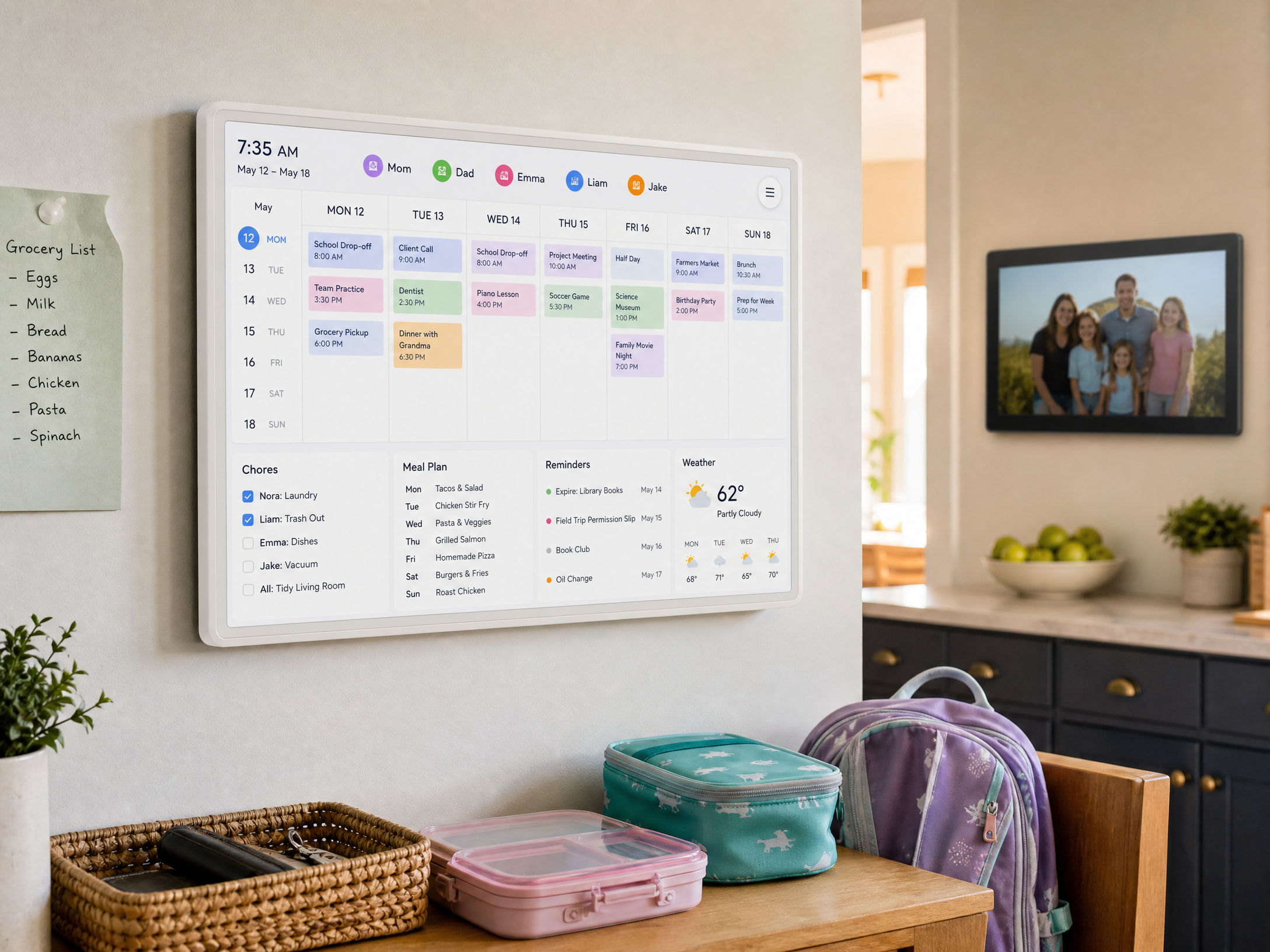
Meswao’s electronic calendar is designed around a predictable home routine. The display belongs in a high-traffic shared location where family members can see plans without opening a personal phone. That could be beside the refrigerator, near the kitchen entrance, in a hallway, or in a family room where children and adults naturally pass throughout the day.
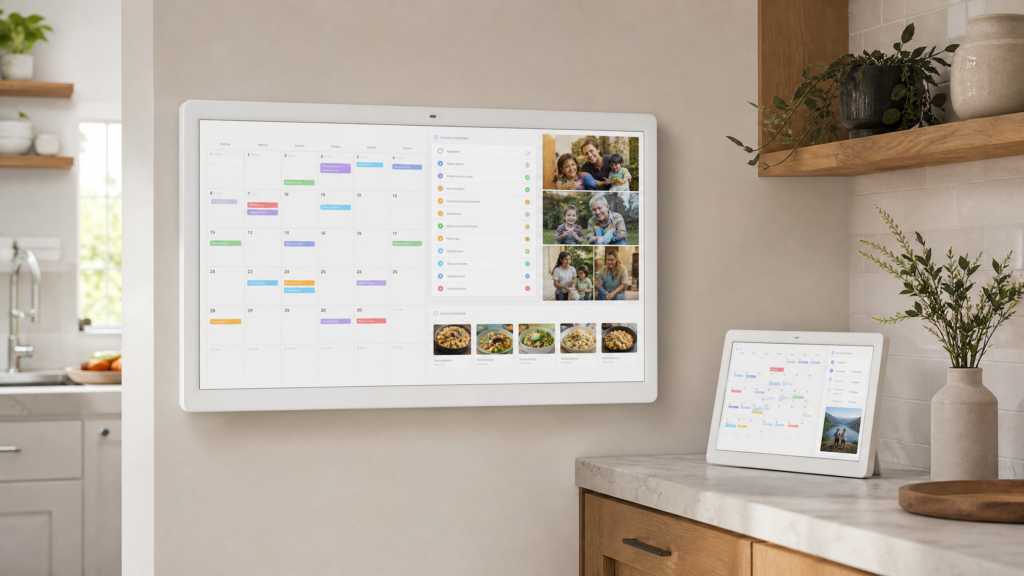
The current Meswao range for this comparison includes two in-stock sizes: the 15.6-inch Meswao digital calendar and the 21.5-inch Meswao digital calendar. Both are positioned as white, horizontal, dedicated touchscreen family planners. That form factor matters. The product is not being recommended as a tablet with a calendar app installed; it is being recommended as a permanent visual layer for the household.
A dedicated display also changes the way people use a calendar. A phone is excellent for personal alerts, private appointments, and travel. A wall calendar is better for shared visibility. The Meswao approach prioritizes that shared view: appointments, reminders, chores, meal planning, weather, and family-photo display can become part of one household rhythm.
Dragon Touch: a real family calendar plus a separate frame line
Dragon Touch has two relevant product directions. Its Digital Calendar and Family Calendar pages describe an all-in-one smart family calendar with a touchscreen, color-coded family schedules, multiple calendar syncing, chore charts, dinner planning, grocery lists, photo display, and remote management through the eCalendar app [1] [2]. That is a direct competitor to Meswao’s use case.
Dragon Touch also sells a separate Digital Frame collection. Those products are primarily intended for displaying and sharing photos and videos, with variants such as 10.1-inch, 15.6-inch, and 21.5-inch Wi-Fi frames listed in the collection [3]. A Dragon Touch Digital Frame should not be evaluated as though it automatically has the same household planning workflow as a Dragon Touch Digital Calendar.
This distinction improves the comparison for readers. If you want a calendar, compare Meswao Digital Calendar with Dragon Touch Digital Calendar. If you want a photo display, compare the respective frame products. The physical similarity between a horizontal screen and a digital frame does not tell you what the software is designed to help the family do.
Meswao vs Dragon Touch comparison table
The table below uses official Dragon Touch product information for the Dragon Touch column and current Meswao product positioning for the Meswao column. It avoids treating every Dragon Touch variant as identical, because the brand lists multiple sizes, resolutions, and feature options.
| Category | Meswao electronic family calendar | Dragon Touch Digital Calendar |
|---|---|---|
| Primary use | Shared family schedule, reminders, chores, meals, and household visibility | Shared family schedule, tasks, chores, dinner planning, grocery lists, and photos |
| Current product focus | Two in-stock sizes discussed here: 15.6 inches and 21.5 inches | Broader size range listed by the official page; selected variant determines the final specification |
| Product form | White, horizontal, dedicated touchscreen wall-planner display | Touchscreen family calendar that may be wall-mounted or placed on a counter depending on size |
| Calendar syncing | Designed for connected family-calendar use; verify the exact app connections for the selected model | Officially lists Google, Apple, Outlook, Yahoo, Cozi, and some public calendar links [1] [2] |
| Chore chart | Part of the family-organization use case | Officially described, including color coding and Star-Powered Rewards [1] [2] |
| Dinner or meal planning | Designed to make meal information part of the shared planning view | Officially described as a free feature on the product page [1] [2] |
| Photo display | Complementary photo mode for a family calendar | Free photo display is described as a complementary calendar feature; separate Digital Frame products are also available [1] [3] |
| Advanced tools | Core calendar experience positioned without a recurring device subscription | Magic Import and other advanced functions may be paid, depending on current software terms [1] [2] |
| Best fit | Buyers who want a focused two-size range and a dedicated white family planner | Buyers who value variant choice and a broad eCalendar feature ecosystem |
15.6 inches or 21.5 inches: choosing the Meswao size
Screen size determines much more than the number printed on the product page. It affects viewing distance, installation location, interface density, and whether more than one person can read the schedule comfortably. The question is not simply which model is larger. It is where the display will live and how the family will use it.
15.6-inch Meswao digital calendar
The 15.6-inch Meswao model is the compact choice for an apartment kitchen, small family wall, entryway, home office corner, or countertop location where a large display would dominate the room. It keeps the schedule substantially more visible than a phone while remaining easier to accommodate in a limited footprint.
This size is a good match for households that typically check the calendar at close range. One or two family members may be the primary users, or the display may sit near the place where children pack bags and adults prepare for the day. A compact screen also encourages restraint: show the most important appointments, reminders, and tasks instead of trying to fit the entire household history into a single view.
Installation still deserves attention. Measure the wall, check the position of nearby windows, and make sure the power cable can be routed safely. Do not hide the display in a low-traffic corner simply because that space is available. The value of an electronic family calendar comes from repeated visibility.
21.5-inch Meswao digital calendar
The 21.5-inch Meswao model is better for a family kitchen, open-plan living area, hallway, or central household wall where several people may read the schedule at the same time. The additional physical area gives appointments, chores, meal information, and reminders more room to breathe.
It is also more forgiving when the calendar must be read from farther away. A parent walking past the kitchen can glance at today’s schedule, while a child standing nearby can check a chore or activity without waiting for another person to finish using the screen. The larger display is not automatically more accessible, but it gives the interface more room for legibility and grouping.
Choose 21.5 inches when the screen is meant to be the family’s visible command center. Choose 15.6 inches when the display will be used close up or when the room benefits from a smaller visual footprint.
How Dragon Touch’s wider size range changes the decision
Dragon Touch’s official Digital Calendar product page lists a much wider size selection, including 10.1, 15.6, 21.5, 24, 27, and 32 inches [1]. That breadth is useful for shoppers with very specific wall dimensions. A small apartment may prefer a 10.1-inch option, while a large shared space may need a screen beyond the two sizes currently in stock from Meswao.
There is a trade-off to a broad range: the buyer must pay closer attention to the selected variant. Dragon Touch’s page lists size, resolution, and placement information in a way that can vary by option. It states that some versions use 1280×800 while others use 1920×1080, and it notes that the 10-inch calendar cannot be hung on the wall [1] [2]. That means a review should not casually transfer the 32GB storage or Full HD description of one model to every product in the family.
Meswao’s smaller current range is easier to understand at a glance. The buyer chooses between 15.6 inches and 21.5 inches for the purpose of this article. That may feel limiting for someone searching for a very small or very large display, but it reduces the number of decisions a typical family has to make before buying.
Calendar syncing and shared household workflow
A family calendar only works if information can get onto the display without creating a second full-time administrative job. This is why syncing and account setup are as important as screen size.
Dragon Touch’s eCalendar workflow
Dragon Touch’s official FAQ says that its Digital Calendar can sync with Google, Apple, Outlook, Yahoo, Cozi, and most calendars that provide a public sharing link through the eCalendar app [1] [2]. The company also describes authorization for additional devices and remote management from the app. For a family already spread across several calendar services, that breadth can be a practical advantage.
There is a useful nuance here. Supporting multiple calendar services does not mean that every source will behave identically. Permissions, privacy settings, recurring events, and public-link requirements can vary. Before buying, list the calendars the household actually uses and confirm that the selected device and app support the desired workflow. A sync feature is valuable only when it works with the family’s real accounts.
Meswao’s calendar-first routine
Meswao’s strength in this comparison is less about offering the longest possible list of variants and more about giving the household a dedicated, easy-to-see planner. The screen is intended to become the place where the family checks what is happening next, reviews tasks, and keeps meal information visible.
For either brand, onboarding should follow the same practical sequence. Connect the display to stable Wi-Fi, choose the calendars that should be visible, assign consistent colors, and start with one week of information. Avoid importing every old appointment immediately. A clean screen is easier for children, older adults, and busy parents to understand.
Chores, meals, shopping, and rewards
Household organization is where this comparison becomes more useful than a simple screen-size roundup. Both brands describe calendar products that extend beyond appointments.
Dragon Touch explicitly lists an interactive chore chart, dinner planner, grocery list, photo frame, and Star-Powered Rewards. Its official page says that family members can be assigned different colors and tasks, and that completed chores can contribute to stars and rewards [1] [2]. This makes Dragon Touch a strong choice for parents who want a more explicit reward-oriented chore workflow.
Meswao is positioned around the same everyday household questions: who needs to be where, what needs to be done, and what is the plan for dinner? Its advantage is the focused dedicated-calendar presentation and the two available in-stock sizes. The 21.5-inch model is especially suitable when the household wants more room for multiple information categories to remain visible at once.
These features also create a maintenance challenge. A chore chart that is never updated becomes background noise. A meal planner that is too detailed becomes another task. The best setup is modest: color-code people, keep chores short, use a small number of reminders, and review the next day’s schedule during dinner or breakfast.
Photo display: calendar feature or separate frame?
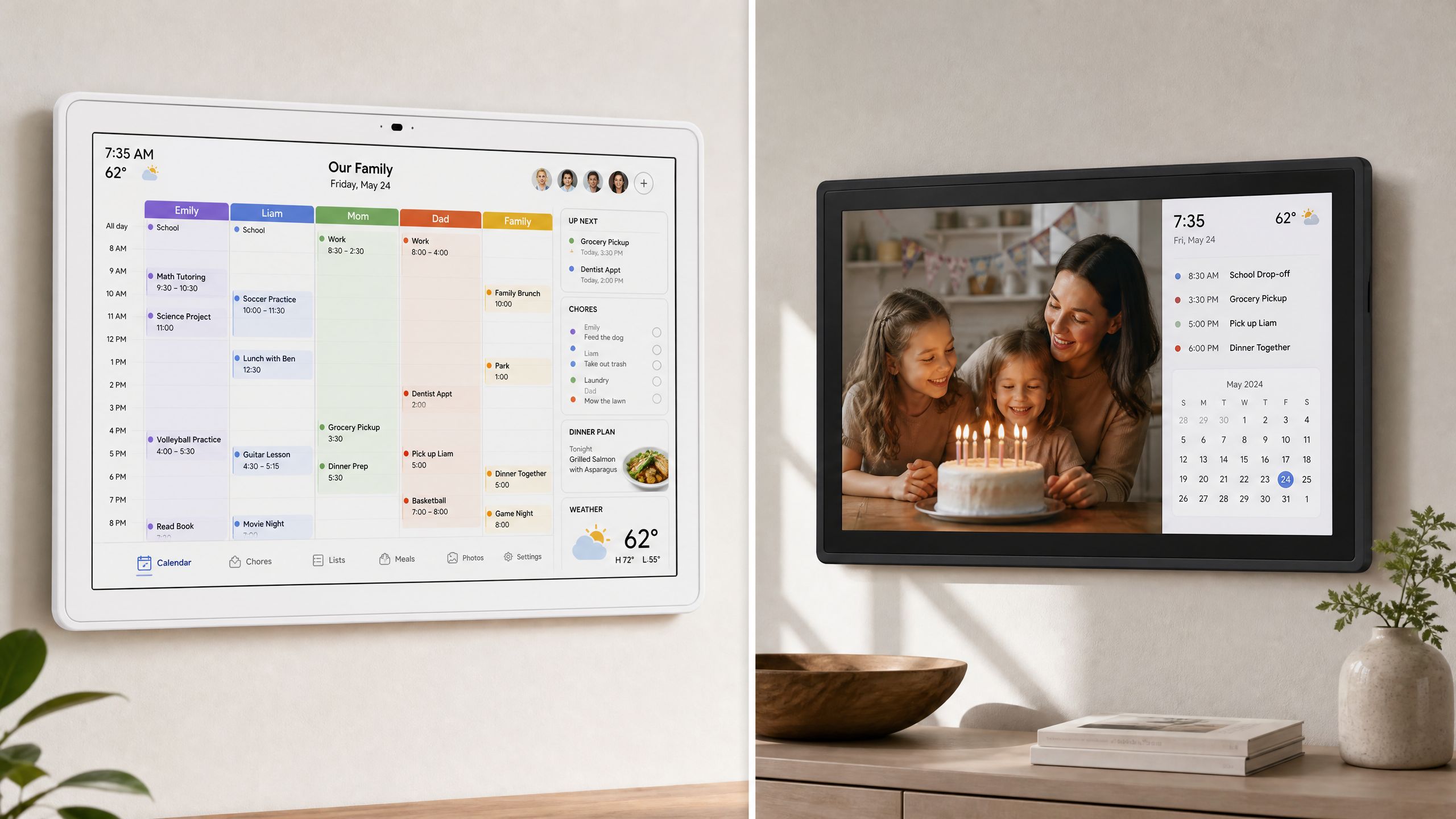
Both brands recognize that a household display should not feel purely administrative. Dragon Touch’s Digital Calendar can switch to photo display when the calendar is not being used, and its Digital Frame collection provides separate photo-focused products [1] [3]. Meswao’s family calendar can also complement planning with family-photo display.
The difference is not whether either brand can show pictures. The difference is what the device is expected to do first. A photo frame is judged by how naturally it displays and shares memories. A family calendar is judged by how quickly it communicates time-sensitive household information.
If the display is going in a grandparent’s living room and the priority is receiving photos from family members, a dedicated digital frame may be the more direct purchase. If the display is going next to the kitchen entrance and the priority is knowing what is happening today, choose a calendar product. If the household wants both functions in one device, compare the calendar software before comparing the photo slideshow.
No subscription versus paid advanced tools
Both brands are often discussed as alternatives to subscription-heavy digital calendar products, but the ownership language requires precision. “No subscription” should refer to the core device experience and should not imply that every optional software function is included forever.
Dragon Touch’s official product page states that photo display, chore chart, dinner plan, grocery list, and Star-Powered Rewards are free features. It also says that paid functions such as Magic Import may be available as advanced tools [1] [2]. The sensible conclusion is that Dragon Touch offers a usable no-subscription core, with certain extras potentially placed behind a paid layer. Buyers should confirm the current app terms before purchase.
Meswao’s core electronic family calendar positioning is simpler: the device is presented as a dedicated family planning display without a recurring device subscription. For families who want predictable ownership, that clarity is useful. It still makes sense to check the exact feature list for the chosen model, because software and integrations can change over time.
When comparing total value, ask which features will be used every week. A free feature that nobody touches is not more valuable than a simple feature that the whole household uses. The best calendar is the one that reduces missed appointments and repeated questions without creating a new source of administrative work.
Placement, mounting, and day-to-day visibility
Dragon Touch’s official product information describes wall mounting or countertop display, with auto-rotate support for landscape or portrait presentation depending on the selected model. It specifically notes that the 10-inch calendar cannot be hung on the wall [1] [2]. Buyers choosing a larger Dragon Touch variant should verify the included mounting hardware, stand configuration, and orientation for that exact product.
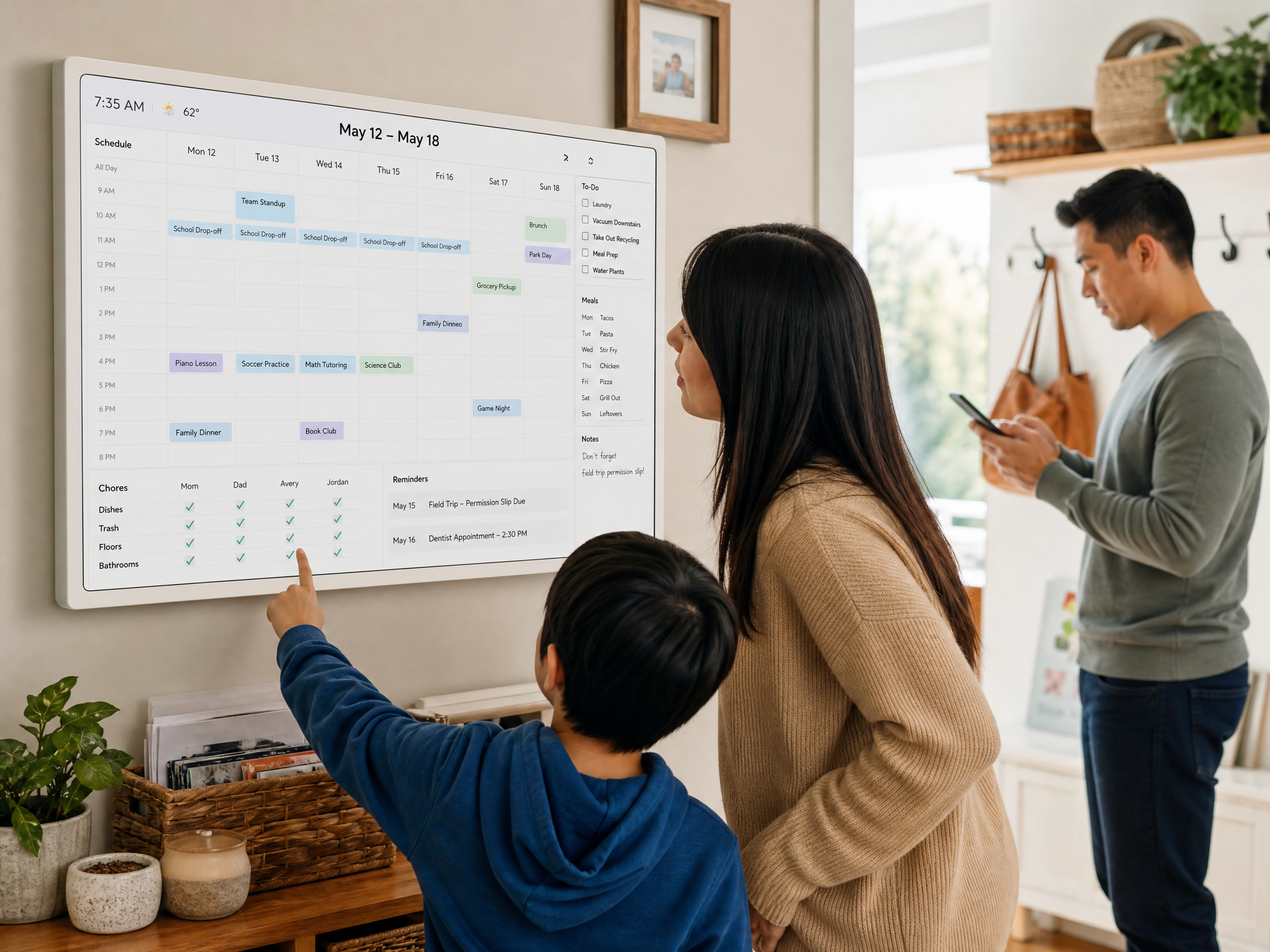
Meswao’s 15.6-inch and 21.5-inch products should be treated as dedicated horizontal household planners. Place the screen where people already make decisions: near the refrigerator, main entrance, mudroom, or family room. Keep the center of the display at a comfortable viewing height and avoid direct window glare. If children will use chore or reward features, make sure they can reach the relevant area without climbing or stretching.
Power and Wi-Fi are not glamorous details, but they determine whether the calendar becomes part of the routine. Use a stable outlet, route cables safely, and avoid installing the device in a dead Wi-Fi zone. A screen that goes offline or is hard to reach will quickly be ignored.
Which one should you buy?
Choose Meswao when simplicity and the current in-stock range matter
Choose the 15.6-inch Meswao digital calendar if you want a compact white horizontal planner for a smaller room, close-range viewing, or a household that does not need a very large wall display. Choose the 21.5-inch Meswao digital calendar if the screen will be read across a kitchen or family room, if multiple people will use it together, or if you want more room for schedules, chores, reminders, meals, and photos.
Meswao is also a sensible fit when the buyer wants a narrowly defined product category. The current comparison range is easy to understand: 15.6 inches or 21.5 inches, both dedicated electronic family calendars, with no need to decide between a long list of size variants.
Choose Dragon Touch when variant choice and app features matter
Choose Dragon Touch when you want a wider size range, need a specific installation size, or value its published eCalendar integrations and family tools. Dragon Touch’s official product pages show a mature feature set that includes calendar sync, chore charts, dinner planning, grocery lists, photo display, and Star-Powered Rewards [1] [2].
Choose a Dragon Touch Digital Frame instead when your main goal is photos and videos rather than household planning. The brand’s frame collection is a separate product category with its own size and feature choices [3]. Do not purchase a frame expecting the same calendar workflow simply because the frame uses Wi-Fi and a touchscreen.
Meswao product recommendation
For a focused electronic family-calendar setup, start with the Meswao Digital Calendar collection. The 15.6-inch model is the more compact choice for smaller kitchens, apartments, entryways, and close-range viewing. The 21.5-inch model is the better choice for a central family wall where the schedule must remain legible for several people. Both are white, horizontal, dedicated touchscreen electronic family planners. The current in-stock Meswao sizes discussed in this article are 15.6 inches and 21.5 inches.
A practical setup guide for either brand
Begin with the family’s routine instead of the product brochure. Where do people pause before leaving? Where are backpacks placed? Where does the household decide what to eat? The correct location is usually the place where a schedule can be seen naturally, not the place with the most empty wall space.
Next, create a small information hierarchy. Give appointments and time-sensitive commitments the highest priority. Assign one color per person and one color for shared events. Use short chore labels. Add meal information only if someone will maintain it. Avoid turning the display into a crowded dashboard that nobody wants to read.
Run a one-week trial after setup. Can each family member answer three questions without opening a phone: What is happening today? What is the next shared event? What needs to be done before dinner? If not, simplify the view, improve the placement, or adjust which calendars are synchronized.
Final verdict: Meswao or Dragon Touch?
Dragon Touch deserves a fairer description than “a small frame or kids’ tablet.” Its official Digital Calendar products are real family-planning devices with calendar synchronization, tasks, chores, dinner planning, grocery lists, photo display, and rewards. The brand’s wider size range and eCalendar ecosystem make it attractive to buyers who want more variant choice and a feature-rich household display [1] [2].
Meswao remains a strong alternative for buyers who want a focused product range and a dedicated white, horizontal family planner. The current in-stock models covered here are 15.6 inches and 21.5 inches. The smaller model is easier to place in a compact space; the larger model is better for a shared room and multi-person visibility.
Choose Dragon Touch when its exact size options and eCalendar features match your household. Choose Meswao when you want a simpler two-size decision and a clearly positioned dedicated calendar display. Neither brand needs to be reduced to a generic tablet or photo frame. The better purchase is the one whose calendar workflow your family will actually use every day.
Frequently Asked Questions
Is Dragon Touch a digital calendar or a digital photo frame?
Dragon Touch sells both categories. Its Digital Calendar product is a touchscreen family organizer with schedules, syncing, chores, dinner planning, grocery lists, rewards, and photo display. Its Digital Frame collection is primarily for displaying and sharing photos and videos. Compare the Digital Calendar with Meswao when your main goal is household organization.
Does Dragon Touch Digital Calendar require a subscription?
Dragon Touch’s official product page describes photo display, chore charts, dinner plans, grocery lists, and Star-Powered Rewards as free features. It also mentions paid functions such as Magic Import, so not every advanced tool should be assumed to be included without charge. Check the current app terms for the selected model before buying.
What is the main difference between Meswao and Dragon Touch?
Both are genuine electronic family-calendar options. Meswao focuses on a white horizontal dedicated planner with a current in-stock choice of 15.6 inches or 21.5 inches. Dragon Touch offers a wider range of calendar sizes and a published eCalendar workflow with several integrations and family tools. The decision is mainly about product range, software preferences, and installation needs.
What Meswao digital calendar sizes are currently in stock?
The current Meswao electronic family-calendar models discussed in this guide are 15.6 inches and 21.5 inches. The 15.6-inch model suits compact spaces and close-range viewing. The 21.5-inch model is better for a shared kitchen, hallway, or family room where several people need to read the schedule.
What sizes does Dragon Touch Digital Calendar offer?
Dragon Touch’s official Digital Calendar page lists 10.1, 15.6, 21.5, 24, 27, and 32-inch options. Because the selected variant can affect resolution, mounting, price, and availability, verify the exact size and specification on the Dragon Touch product page before purchasing.
Can Dragon Touch sync with Google and Outlook calendars?
Yes. Dragon Touch’s official FAQ lists Google, Apple, Outlook, Yahoo, Cozi, and most calendars that can be shared through a public link. The sync process uses the eCalendar app, and account permissions may affect how each calendar source behaves.
Which is better for chores and meal planning?
Both brands are suitable for a family-organization workflow. Dragon Touch explicitly lists an interactive chore chart, dinner planner, grocery list, and Star-Powered Rewards. Meswao is positioned around shared schedules, reminders, chores, meal planning, and a dedicated household display. Dragon Touch may appeal more to families who specifically want its published rewards system; Meswao may appeal more to buyers who prefer a focused two-size calendar range.
Should I buy a digital calendar or a digital photo frame?
Buy a digital calendar when the screen’s first job is to show appointments, reminders, chores, and meals. Buy a digital photo frame when the main goal is to display and share family photos and videos. A calendar may include photo mode, and a frame may show a date, but the software workflow and daily purpose are different.
Should I choose the 15.6-inch or 21.5-inch Meswao calendar?
Choose 15.6 inches for a smaller room, limited wall space, or close-range use. Choose 21.5 inches when the calendar will be read from farther away, used by several people at once, or expected to show more household information without crowding.
References
[1] Dragon Touch, “Dragon Touch Digital Calendar.” https://dragontouch.com/products/dragon-touch-digital-calendar
[2] Dragon Touch, “Dragon Touch Family Calendar.” https://dragontouch.com/products/dragon-touch-family-calendar
[3] Dragon Touch, “Digital Frame” collection. https://dragontouch.com/collections/digital-frame