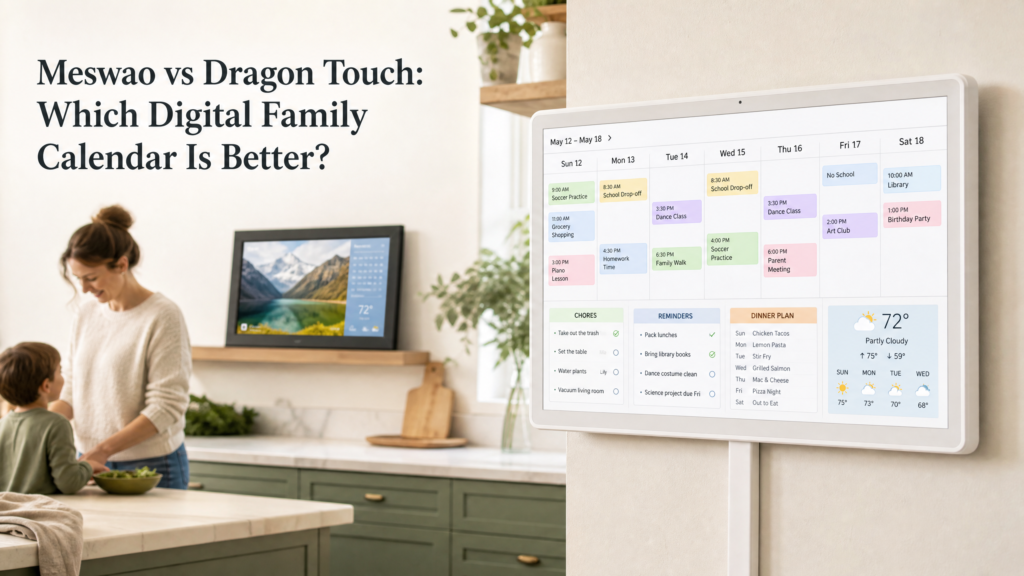





Meswao vs Aura: Digital Calendar or Photo Frame?

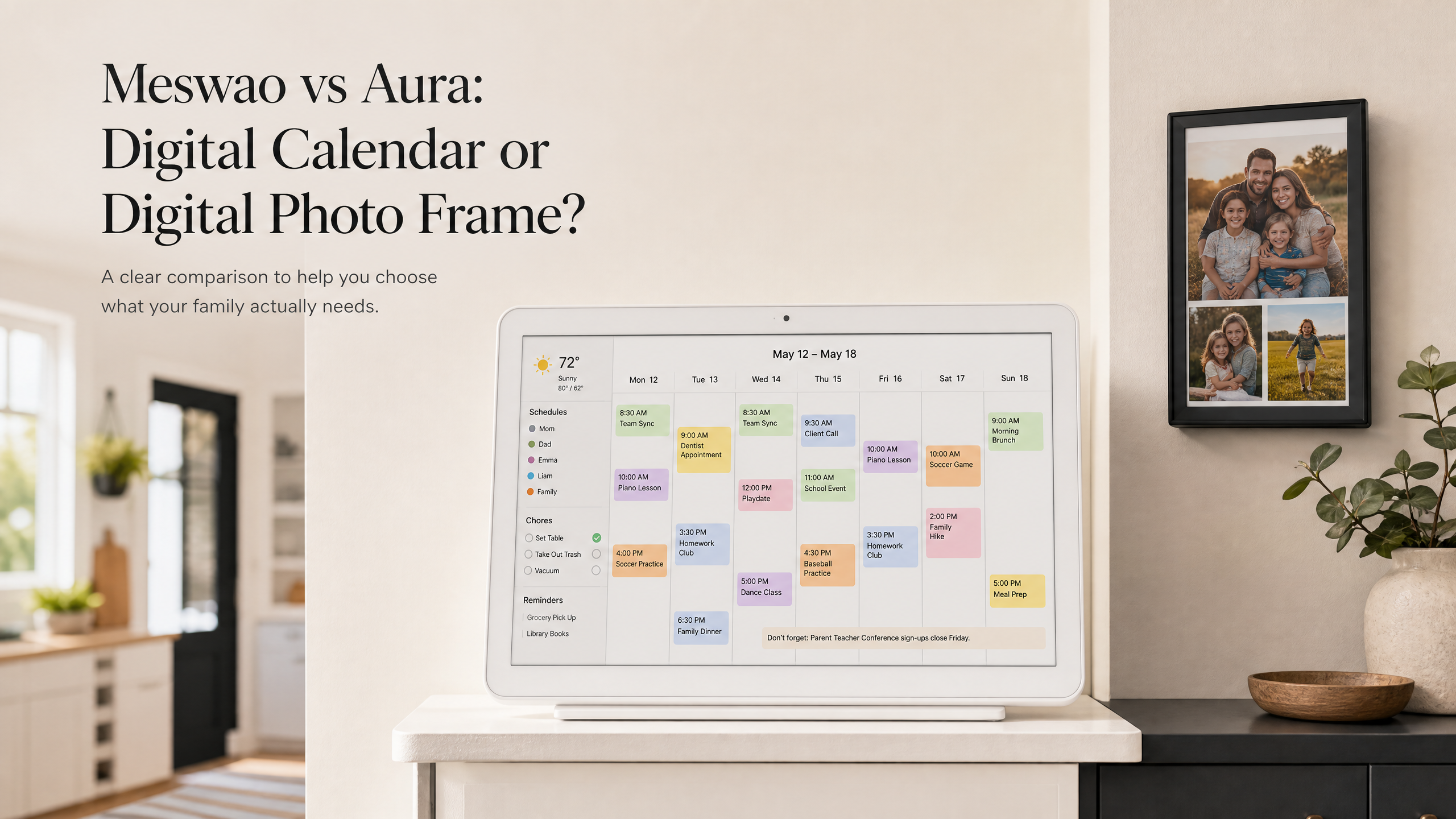
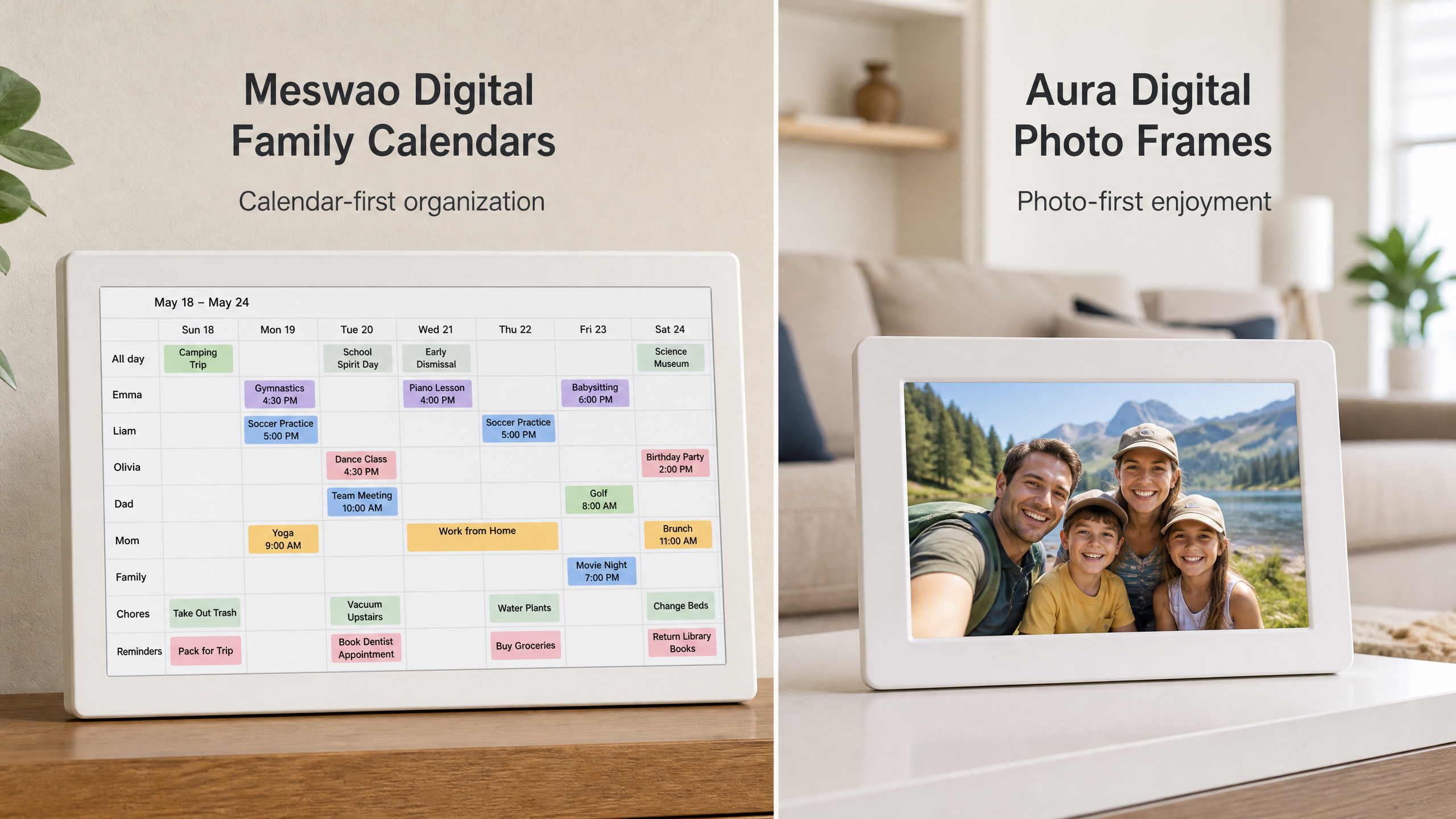
Looking for a digital calendar that can organize a household rather than simply display photographs? This Meswao vs Aura comparison starts with an important distinction: these products are designed around different jobs. Aura is a photo-first Wi-Fi digital frame built to share memories with family and friends. Meswao is a dedicated touchscreen electronic family calendar designed to keep schedules, reminders, chores, meal planning, and household information visible in one shared place.
That difference is easy to miss when both products are described as smart displays. A frame can show a date, and a family calendar can display photos, but those similarities do not make them interchangeable. The right choice depends on what you want the screen to do during an ordinary week: create an emotional connection through photos, or reduce the daily friction of coordinating people, appointments, tasks, and meals.
In this guide, I compare the two categories using the information published by Aura and the current Meswao digital calendar range. Meswao’s in-stock electronic family calendar sizes are 15.6 inches and 21.5 inches. Both are white, horizontal, dedicated touchscreen calendar displays—not generic tablets repurposed as wall planners. Aura’s products are assessed as digital photo frames, with the specific model and current availability left to Aura’s official product pages.
Meswao vs Aura: the quick answer
Choose Aura when your main goal is to display and share family photos. Aura’s official materials emphasize Wi-Fi photo frames, unlimited photo and video uploads, a free app, cloud-based sharing, automatic brightness behavior, and simple frame controls such as a touch bar or buttons [1] [2]. It is a strong fit for grandparents, long-distance families, gift-giving, and rooms where the screen should feel like a piece of photo decor.
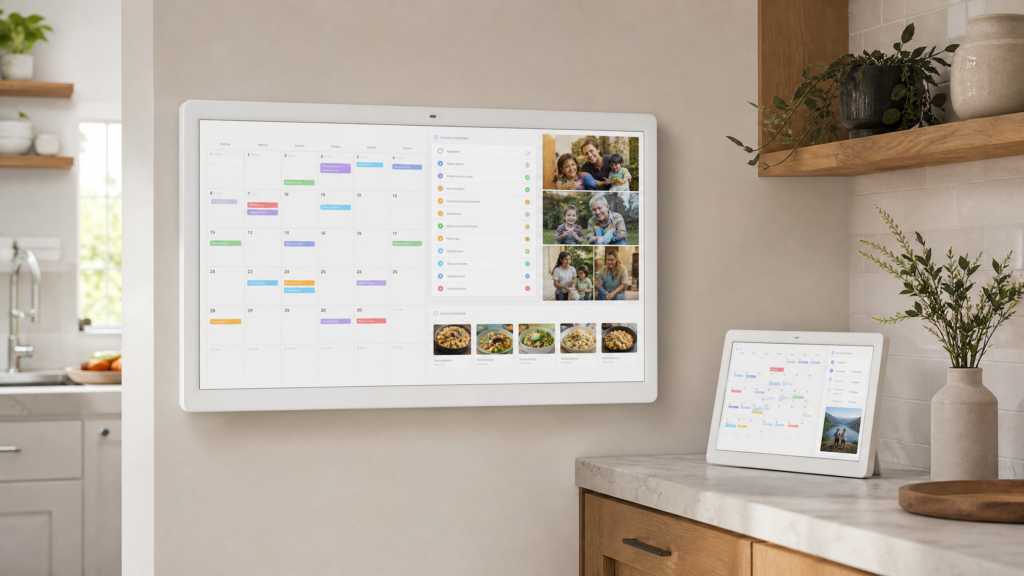
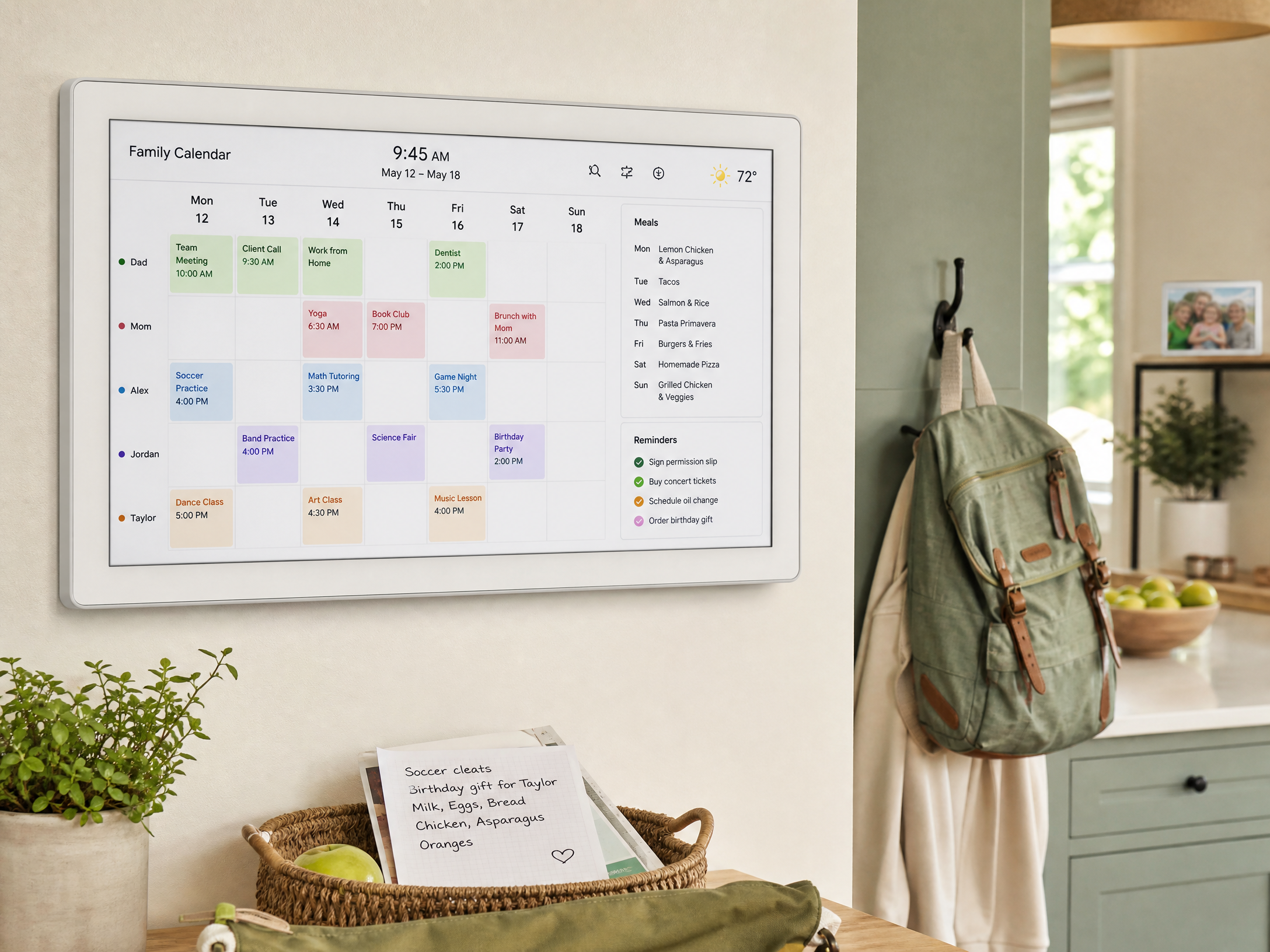
Choose Meswao when your main goal is household organization. A Meswao electronic family calendar places the schedule at the center of the display and adds the visual language of a family command center: appointments, color-coded people, reminders, chores, meal planning, weather, and optional family-photo display. The 15.6-inch model suits a compact kitchen, entryway, or nearby desk area. The 21.5-inch model gives a larger household a more readable shared surface across a kitchen or family room.
This does not mean Aura is a poor product or that Meswao is the right device for everyone. It means the comparison should be framed as digital calendar versus digital photo frame, not as two identical calendars competing on a feature checklist.
Two smart displays, two different product jobs
What Aura is designed to do
Aura’s official description is direct: it is a digital picture frame that connects over Wi-Fi and brings photos and videos from a phone, app, or invited contributors to the frame. Aura says there are no subscription fees for the frame and that users can upload unlimited photos and videos through its ecosystem [1]. Its help center describes a cloud-based photo-sharing experience in which family members can contribute to a frame, see activity, manage albums, and remotely change what is currently displayed [3].
That photo-first design creates a particular kind of value. An Aura frame is often checked casually rather than consulted as a planning tool. Someone walks past it and sees a new picture from a child, a birthday, a holiday, or a grandchild. The product turns a wall or tabletop into a living family photo album. For many households, that is exactly the point.
Aura also offers practical controls that make a photo display feel unobtrusive. Depending on the model, the official pages describe features such as automatic brightness adjustment, auto on/off behavior, landscape or portrait presentation, built-in audio for videos, and touch-bar or button controls [1] [2]. Those functions help the frame blend into a room, but they should not be confused with a shared event-planning system.
What Meswao is designed to do
Meswao’s electronic family calendar serves a different daily workflow. The display is designed to be read repeatedly throughout the day, normally from a shared household location such as a kitchen, hallway, entryway, or family room. Instead of treating the date as a decorative detail, it gives the date and the family schedule the largest visual priority.
That makes a difference when a household has several moving parts. A parent may need to check school pickup, a child may need to see a chore, someone may need to confirm tonight’s meal, and another family member may need a reminder about an appointment. A dedicated family calendar reduces the number of separate questions that have to be asked out loud or searched for on individual phones.
Meswao’s current digital calendar collection includes the 15.6-inch digital family calendar and the 21.5-inch digital family calendar. The 15.6-inch model is easier to place when wall space is limited. The 21.5-inch model is better when several people need to read the schedule at once or when the display will be viewed from farther away. Both should be understood as dedicated white, horizontal touchscreen family planners.
Meswao vs Aura comparison table
The table below summarizes the practical difference without pretending that the two categories have identical design goals. Aura information is based on Aura’s official product and help pages; Meswao information reflects the current electronic family calendar positioning used by Meswao’s collection and product pages.
| Category | Meswao electronic family calendar | Aura digital photo frame |
|---|---|---|
| Primary purpose | Shared household scheduling and family organization | Photo and video display with remote family sharing |
| Product form | White, horizontal, dedicated touchscreen calendar display | Decorative digital picture frame designed around photographs |
| Current sizes discussed | 15.6 inches and 21.5 inches in stock | Size depends on the Aura model selected; check the official catalog |
| Calendar visibility | Schedule-first interface for everyday household planning | Not the core product purpose; the frame is photo-first |
| Reminders and chores | Designed to make household tasks and reminders visible | Not the main feature set described by Aura’s official materials |
| Meal planning | Useful as part of a family organization workflow | Not the core photo-frame workflow |
| Family photo display | Available as a complementary display mode | The central product experience |
| Remote sharing | Depends on the calendar software and connected accounts used | Core Aura app and cloud-sharing experience |
| Subscription position | Core calendar ownership is positioned without a recurring device subscription | Aura states no subscription fees for its frame and photo/video storage [1] [2] |
| Best placement | Kitchen, entryway, family room, or shared household wall | Living room, bedroom, office, shelf, or gift recipient’s home |
15.6 inches or 21.5 inches: which Meswao size is right?
Screen size is not a specification to choose in isolation. It changes where the calendar can be installed, how far away it can be read, and how many pieces of information can be visible without making the interface feel crowded. The most useful question is not “Which screen is bigger?” but “Where will the family actually look at it?”
The 15.6-inch Meswao digital calendar
The 15.6-inch model is the practical choice for a smaller kitchen, apartment, condo, entryway, home office corner, or household where one person usually checks the schedule at close range. It still provides substantially more shared viewing area than a phone, while taking up less wall space than a larger family command center.
It also works well when the household wants a clear daily display but does not need every category on screen at the same time. A parent might prioritize appointments and school events, while chores or meal planning can be checked in a secondary view. The smaller footprint makes it easier to place the calendar near the location where decisions already happen—beside the refrigerator, near the back door, or close to a family desk.
Buyers should measure the intended wall before ordering. Leave enough clearance to touch the display comfortably, route the power cable safely, and avoid placing the screen where glare from a window makes the schedule difficult to read. A display that is technically large enough but badly positioned will not become a useful family habit.
The 21.5-inch Meswao digital calendar
The 21.5-inch model is the better fit for a larger kitchen, open-plan family room, busy hallway, or household with several people checking the schedule together. The larger canvas gives appointments, reminders, chores, and meal information more breathing room. It is easier to glance at from across a shared room, which matters when nobody wants to walk up to the screen for every small question.
A 21.5-inch family calendar can also be more comfortable for children and older adults because the information can be presented with larger visual blocks and clearer spacing. That is not a guarantee of accessibility—the final experience depends on the software, typography, contrast, and setup—but physical screen area gives the interface more room to work with.
If the calendar will be the household’s central visual organizer, the 21.5-inch model is the more natural choice. If it will function as a compact daily planner for one or two people, the 15.6-inch model is usually easier to live with.
Why a dedicated calendar changes the household workflow
Most families already have calendars. The problem is that the calendar may be scattered across several phones, work accounts, school portals, messaging threads, paper notes, and memory. A dedicated digital calendar does not eliminate that complexity by magic, but it gives the household a shared visual starting point.
Shared schedules are easier to see
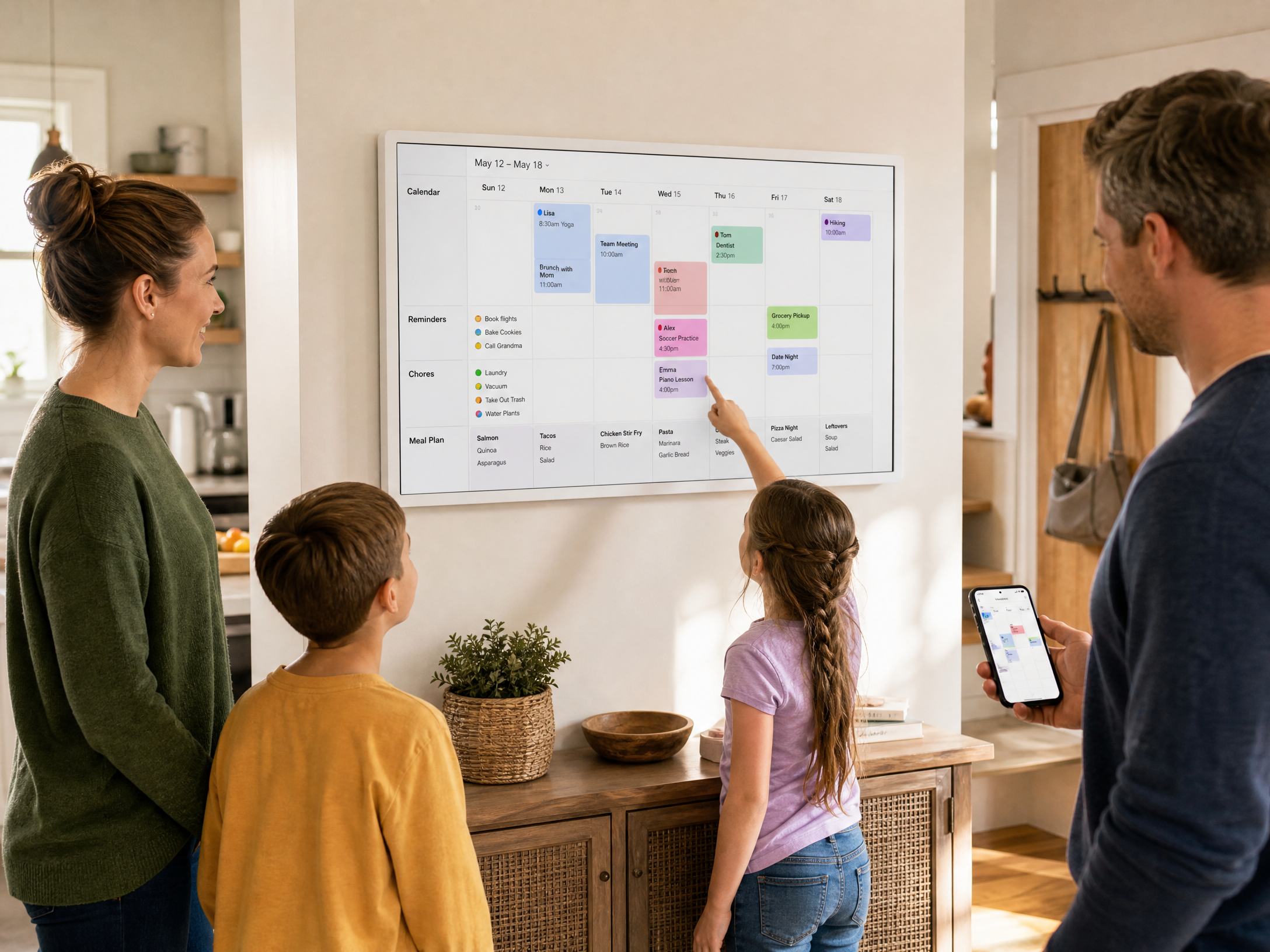
A phone is excellent for personal alerts. It is less effective as a household noticeboard because the information is private to one person unless it is deliberately shared. A wall-mounted or prominently placed electronic family calendar makes the schedule visible before someone has to ask. The benefit is especially clear for recurring events: school runs, sports practices, appointments, work shifts, family visits, and weekly commitments.
Color coding can make the screen more legible, but it should be used consistently. Assign one color to each family member and reserve another color for shared household events. Use short labels rather than trying to write a complete explanation into every calendar tile. The goal is rapid recognition, not a miniature document.
Chores and reminders become part of the same view
Schedules answer the question “Where does everyone need to be?” Chore charts answer “What needs to get done?” Keeping the two visible together can reduce the gap between time management and household responsibilities. A child can see that a practice is coming up and that a task needs to be completed before dinner. An adult can see a reminder to order supplies before a busy week begins.
That workflow is fundamentally different from a digital photo frame. Aura’s strength is making the display feel personal and connected. Meswao’s strength is making household information actionable. One is about memories arriving in the room; the other is about decisions being made in the room.
Meal planning is a practical differentiator
Meal planning does not sound as glamorous as photo sharing, but it solves a very ordinary source of friction. When the dinner plan is visible, family members know what to expect and can identify gaps before the evening becomes rushed. The display can also provide a convenient place for a short grocery reminder or preparation note.
Aura’s official product materials focus on photos, videos, and frame management rather than positioning the frame as a meal-planning board [1] [3]. That is not a criticism; it is a reminder to buy according to the job. If the household wants a beautiful photo display, Aura is purpose-built for that experience. If it wants the screen to answer “What is happening today and what do we need to do next?”, a dedicated family calendar is the closer match.
Meswao can show photos, but Aura is still the photo specialist
There is some overlap. Meswao digital family calendars can complement planning with family-photo display, and Aura frames can be placed in rooms where people also keep a paper or digital calendar. The overlap does not remove the distinction between the products.
Aura’s entire experience is optimized around adding, arranging, sharing, and enjoying photos. Its official help center describes frame contributors, photo uploads, albums, remote control, reactions, video playback, photo order, and frame settings [3]. That is a mature photo-sharing workflow. If a user wants grandparents to receive new family pictures or wants a rotating slideshow of memories, Aura’s specialization is an advantage.
Meswao treats photos as one mode inside a broader household display. The calendar remains the anchor. When the family is planning, the schedule should be easy to find. When the screen is not being used for an active planning task, photo display can make the device feel warmer and more personal. This combination is useful for buyers who want one dedicated wall display rather than separate devices for a planner and a photo frame.
Sync, Wi-Fi, and the practical setup questions
Both categories rely on connected software, so setup quality matters. Aura’s official documentation states that Wi-Fi is required because the frame receives new content through the cloud [2] [3]. Aura also requires its app for setup, inviting family members, and managing the frame. That makes the sharing experience convenient, but it means the buyer should choose a location with reliable Wi-Fi.
A Meswao calendar should receive the same practical treatment. Before installation, confirm that the wall location has dependable Wi-Fi, a safe power route, and comfortable touch access. Decide who will own the calendar account, which calendars should be visible, and how colors and labels will be used. A shared device works best when the rules are simple enough that every family member understands them.
Privacy deserves a deliberate conversation. A family calendar can reveal school schedules, appointments, travel plans, and household routines. Place it where the intended household can use it, but avoid exposing more personal information than necessary. On the photo side, Aura’s official materials explain that invited frame members can contribute photographs through the app and cloud service [3]. Review contributor access before gifting or installing a shared frame.
No subscription: what the comparison actually means
“No subscription” is useful only when it is defined carefully. It should mean that the core device experience does not require a recurring monthly or annual payment, not that the broader ownership experience has no costs at all. Electricity, Wi-Fi, mounting, and optional accessories are still practical considerations for any connected display.
For Aura, the official website says there are no subscription fees and promotes unlimited photo and video uploads [1] [2]. That is a meaningful advantage for people who want a photo frame without a recurring storage plan. Buyers should still verify the current product terms and supported features on the official Aura pages because product policies can change.
Meswao’s value proposition is similar in spirit but aimed at a different task: the core electronic family calendar experience is positioned without a recurring device subscription. The appeal is straightforward ownership of a dedicated schedule display. When comparing total value, ask which features you will use every week. A free photo frame is not a cheaper family calendar if it cannot replace the planning workflow your household needs; a larger calendar display is not better value if your only goal is rotating photographs.
Which buyer should choose Meswao or Aura?
Aura is better for photo-first households
Aura is the more natural choice for a user who wants an elegant digital photo frame, especially when remote family sharing is the main reason for buying. It is also a strong gift when the recipient values photographs more than visible household planning. Aura’s focus gives the product a coherent experience: connect the frame, invite contributors, add photos and videos, and let the display keep the memories present.
Choose Aura when the important questions are “How can my family share new photos?” and “How can I make a room feel more personal?” The official app and cloud workflow are built around those questions.
Meswao is better for calendar-first households
Meswao is the better fit when the important questions are “What is happening today?”, “Who is responsible for this task?”, and “What are we having for dinner?” The dedicated white horizontal touchscreen is designed to be placed in a shared area and consulted as part of a routine.
Choose the 15.6-inch Meswao when your space is compact, the viewing distance is short, or you want a smaller visual footprint. Choose the 21.5-inch Meswao when the calendar needs to remain legible across a kitchen or family room, when several people will use it together, or when you want more room for schedule, chore, reminder, meal, and photo information.
Meswao product recommendation
If your priority is a dedicated electronic family calendar rather than a photo frame, begin with the Meswao Digital Calendar collection. The 15.6-inch model is the compact choice for smaller rooms and close-range viewing. The 21.5-inch model is the stronger choice for a shared family wall where multiple people need to read the schedule. Both are positioned as white, horizontal, dedicated touchscreen family planners, and the current in-stock range discussed in this guide is limited to these two sizes.
A practical setup guide for either device
Start with the household routine, not the hardware. Identify the place where people already pause: the kitchen entrance, refrigerator wall, mudroom, or family-room walkway. The best location is usually the one that turns checking the display into a natural part of leaving, arriving, or eating.
Next, define a small information hierarchy. Put appointments and time-sensitive events first. Use a consistent color for each person. Keep chores short and specific, such as “load dishwasher” or “pack sports bag,” rather than writing vague instructions. Add meal information only if the household will actually maintain it. A beautifully organized calendar becomes useless when it contains more categories than anyone is willing to update.
Finally, run a one-week trial. Ask whether family members can answer three questions without opening a phone: What is happening today? What is the next shared event? What needs to be done before dinner? If the answer is yes, the display is doing useful work. If the answer is no, reduce clutter, improve placement, or adjust which information is visible.
Final verdict: calendar first or memories first?
The best answer to “Meswao vs Aura” depends on what you want the screen to contribute to the home. Aura is a polished, photo-first digital frame for sharing and displaying memories over Wi-Fi. Its official materials support that position with unlimited photo and video uploads, a free app, cloud sharing, family contributors, and simple frame controls [1] [2] [3].
Meswao is a more appropriate alternative when the buyer is searching for a true digital family calendar. Its white horizontal touchscreen displays are made for shared household organization, with the current in-stock choices being 15.6 inches and 21.5 inches. The smaller screen is easier to fit into compact spaces; the larger screen is easier for a family to read across a shared room.
So, choose Aura if the display’s first job is to make photographs feel alive. Choose Meswao if the display’s first job is to make the household easier to coordinate. If you want both, a Meswao family calendar can keep the schedule visible while using its photo mode to add warmth between planning moments. That is the central difference—and the reason these products should be compared by purpose rather than by appearance alone.
Frequently Asked Questions
Is Aura a digital calendar?
Aura is primarily a Wi-Fi digital photo frame. Its official product and help pages focus on displaying and sharing photos and videos, inviting contributors, managing albums, and controlling the frame through the Aura app [1] [3]. If you need a shared household schedule with reminders, chores, and meal planning, a dedicated electronic family calendar is a closer fit.
What is the main difference between Meswao and Aura?
Meswao is calendar-first: it is designed as a dedicated touchscreen family planner for schedules, reminders, chores, meals, weather, and related household information. Aura is photo-first: it is designed to share and display family photographs and videos over Wi-Fi. Both can make a room feel more connected, but they solve different everyday problems.
Does Aura require a subscription?
Aura’s official website states that its frames do not require subscription fees and include unlimited photo and video uploads under its service [1] [2]. Because product policies and availability can change, confirm the current terms on Aura’s official product page before buying.
What Meswao digital calendar sizes are currently in stock?
The current Meswao electronic family calendar range discussed in this guide includes the 15.6-inch and 21.5-inch models. The 15.6-inch version is intended for compact spaces and closer viewing. The 21.5-inch version is designed for wider household visibility. Check the official Digital Calendar collection for current availability.
Is the Meswao digital calendar a regular Android tablet?
No. The Meswao products discussed here should be understood as dedicated white, horizontal touchscreen electronic family calendars or wall planners. Their design and intended placement center on shared household scheduling rather than general-purpose tablet use.
Can Meswao show family photos like Aura?
Meswao digital family calendars can include family-photo display as a complementary mode. However, Aura remains the more specialized choice if your main goal is remote photo sharing, albums, and a photo slideshow. Meswao is the stronger fit when the calendar and household schedule need to remain the primary screen content.
Should I buy the 15.6-inch or 21.5-inch Meswao calendar?
Choose 15.6 inches when wall space is limited or the display will be viewed nearby. Choose 21.5 inches when several family members need to read the schedule at the same time, when the screen is placed in a larger kitchen or family room, or when you want more room for events, chores, reminders, and meal planning.
Does a digital family calendar replace a phone calendar?
Not completely. A phone calendar remains useful for private alerts, travel, and personal details. A dedicated family calendar adds a shared visual layer that everyone can see without opening an app. The two work best together: personal devices handle private notifications, while the family display handles shared plans and routines.
References
[1] Aura Frames, “The digital picture frame your photos deserve.” https://auraframes.com/
[2] Aura Frames, “Shop All Frames.” https://auraframes.com/shop-frames
[3] Aura Help Center, “Detailed overview of the Aura app features.” https://help.auraframes.com/hc/en-us/articles/360053532493-Detailed-overview-of-the-Aura-app-features